
Specs are compiled from manufacturer listings and verified buyer reviews and can change over time — please confirm the key details on the product page before buying.
Your Zigbee sensors and bulbs should react the moment you trigger them, and your lights should not die every time the internet blinks. That is the whole decision here: pick a hub that runs your devices on your own network, not on someone else’s server. The picks below split into two clear camps — USB sticks that plug into a computer running Home Assistant (free home-automation software you run yourself), and standalone boxes that talk to an app — and knowing which camp you belong in solves most of the choice before you read a single spec.
This guide is built by comparing the manufacturers’ published specifications and the patterns across verified customer reviews, so you get each pick’s real strengths and trade-offs instead of marketing spin.
The crowd favorite here is the SONOFF MG24 dongle, holding 4.5+ stars across 700+ ratings for fast Zigbee pairing that stays entirely local. Below you will find the right zigbee smart home hub for a stick-based setup, a plug-and-play box, or a mixed-protocol house.
Top Picks


How To Choose The Best Zigbee Smart Home Hub
The first fork in the road is not brand or price — it is whether you already run a home automation server. A USB coordinator (a stick that plugs into a computer and acts as the Zigbee radio) only makes sense if something like Home Assistant, Zigbee2MQTT or openHAB is already running on a machine you leave on. If you want to open an app and tap a button, you want a standalone hub instead.
Coordinator stick or standalone hub
A stick like the SONOFF MG24 or the Z-Stick 10 Pro is the cheapest way into a fully local Zigbee network, and it hands you total control over automations. The trade-off is that you are the IT department: you flash firmware, you configure the integration, and you keep the host machine alive. A box like the Aeotec Smart Home Hub2 or the Aqara M200 does the thinking itself, but you play by its app’s rules and, in some cases, its cloud.
Does it need the cloud to work?
Ask this before anything else. A hub that depends on a cloud connection stops switching your lights the moment your broadband drops. Local execution is the feature that separates a serious Zigbee hub from a convenience gadget, and several picks here advertise automations that keep running offline. Check that claim against the device type you care about — cloud push notifications, for example, still need the internet even on local-first hubs.
Range, antennas and where you put it
Zigbee is a mesh (each mains-powered device relays the signal for its neighbours), so a strong coordinator radio plus sensible placement beats raw wattage. Look for antenna gain figures in dBi (a measure of how tightly the radio signal is focused) and for a USB extension cable or PoE support that lets you move the radio away from a metal PC case. A stick buried behind a tower is the most common cause of “my sensor keeps dropping.”
Which devices will actually pair
Zigbee 3.0 is the current standard, and it is what most new bulbs, plugs and sensors speak. Older Zigbee gear usually still pairs, but Aqara and some Tuya devices are famously fussy about which coordinator they will talk to. Check the compatibility list for the exact bulb or sensor you already own before you commit, and remember that a hub sold inside one brand’s ecosystem may refuse a rival brand’s Zigbee device entirely.
Side-by-Side Comparison
| Model | Best For | Protocols | Connection | Cloud Needed? | Amazon |
|---|---|---|---|---|---|
| SONOFF Zigbee 3.0 USB Dongle Plus MG24★ Best Overall | Local-first starter stick | Zigbee 3.0, Thread | USB | No | Amazon |
| Z-Stick 10 ProDual-Radio Pick | Mixed Z-Wave + Zigbee homes | Zigbee 3.0, Z-Wave 800 | USB 2.0 Type A | No | Amazon |
| SMLIGHT SLZB-06MBest Network Placement | Network placement via PoE | Zigbee 3.0 | Ethernet, USB-C, Wi-Fi | No | Amazon |
| SMLIGHT SLZB-06U | Remote USB-radio bridging | Zigbee 3.0 | Ethernet, USB-C, Wi-Fi | No | Amazon |
| Aqara Smart Hub M200 | Matter bridge + IR control | Zigbee, Thread, Matter | Wi-Fi, PoE, USB-C | Some automations | Amazon |
| Aeotec Smart Home Hub2 | App-first SmartThings users | Zigbee, Matter | Wi-Fi, Ethernet | Many local | Amazon |
| Philips Hue Bridge Pro | Large Hue lighting installs | Zigbee (Hue) | Ethernet | No | Amazon |
| Hubitat Elevation C-8 Pro | Multi-protocol power users | Zigbee 3.0, Z-Wave 800, Matter, Bluetooth | Ethernet | No | Amazon |
| Tuya Zigbee 3.0 Hub Gateway | Budget app control | Zigbee 3.0 | Ethernet, USB power | Yes | Amazon |
Detailed Reviews
1. SONOFF Zigbee 3.0 USB Dongle Plus MG24
Our pick — 4.5+★ from 700+ verified ratings; the strongest balance of quality and price.
The tiny stick that turns a spare computer into a fully local Zigbee brain.
If you already run Home Assistant, this is the least dramatic way to add Zigbee. The EFR32MG24 chip inside is the reason it feels quick: it processes automation triggers faster than older coordinator radios, so a motion sensor firing turns the light on without the usual stutter.
The antenna rating is the part worth understanding. It ships with a 3dBi antenna gain (a measure of how strongly the radio focuses its signal) and can be optimised up to 4.5dBi, which is the difference between reaching the far bedroom sensor and not. The included USB extension cable matters just as much — it lets you move the radio clear of your metal case, where electromagnetic interference would otherwise chop your signal. Buyers routinely report it reaching Zigbee sensors and bulbs across a whole house.
What wins people over is pure function: 46 functionality mentions make it the most-praised thing about this Zigbee stick, backed by 28 on build quality. Pairing via Home Assistant’s ZHA or Zigbee2MQTT is close to plug-and-play, and the firmware can be re-flashed to switch the same stick between Zigbee coordinator, Zigbee router, or Thread RCP mode (a Thread border router role). One honest note: it does one job. It is Zigbee and Thread, not Z-Wave, and compatibility with platforms other than Home Assistant is the mixed spot in the feedback.
It also undercuts the PoE-coordinator crowd on cost while giving you a stronger antenna than many rivals. If your Home Assistant box sits in a cupboard and you can run a short extension cable, this is the cheapest competent way in.
Why it earns the top slot
- EFR32MG24 chip keeps sub-device control stable as your device count grows.
- Up to 4.5dBi antenna gain plus a bundled extension cable for clean placement.
- Re-flashable between Zigbee coordinator, router and Thread RCP modes.
- Works across Home Assistant, Zigbee2MQTT and openHAB.
Where it stops
- Zigbee and Thread only — no Z-Wave.
- Assumes a host machine you already maintain.
- Small enough that there is nowhere obvious to mount it.
Reach for this if: you run Home Assistant and want Zigbee handled locally with the strongest antenna in this price band.
Think twice if: you own Z-Wave locks or want an app-driven hub with no server to babysit.
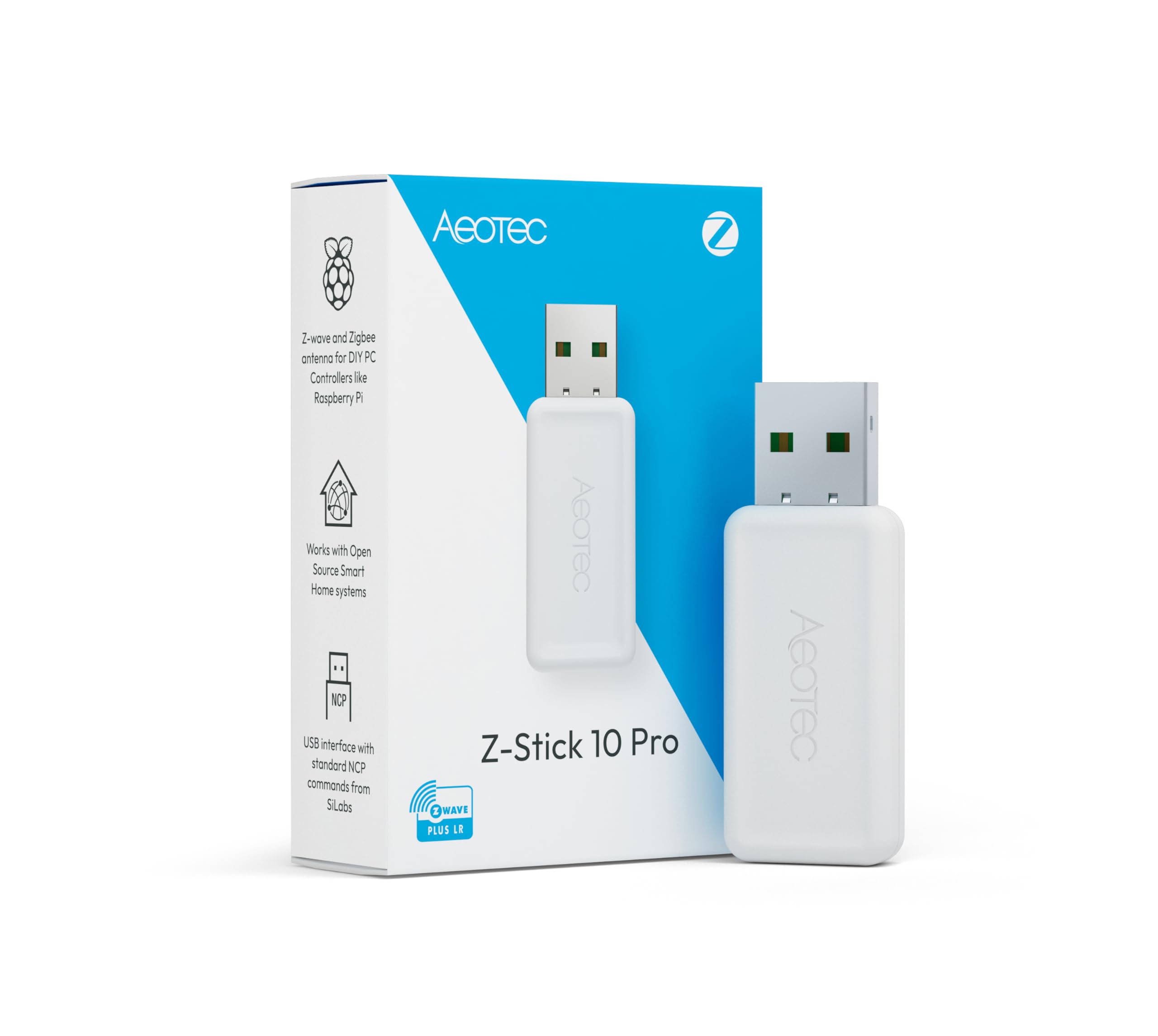
2. Z-Stick 10 Pro — Zigbee 3.0 & Z-Wave 800 USB Adapter
Two radios, one slim stick, and a mile of claimed Z-Wave reach.
Most Zigbee sticks leave your older Z-Wave locks stranded on a second adapter. The Z-Stick 10 Pro solves that in one piece of hardware: a Z-Wave 800 series radio (chip EFR32ZG23, with Long Range support quoted up to 1 mile) sits next to a Zigbee 3.0 radio on the EFR32MG21 chip. Run Z-Wave JS and Zigbee2MQTT side by side from a single USB port and your whole device list lives in one Home Assistant instance.
Running both Zigbee and Z-Wave (two wireless smart-home languages) on one stick is exactly what buyers praise — Zigbee and Z-Wave compatibility is the most-mentioned strength by a wide margin, and the setup notes read the same way. One owner sums it up as “basically plug and play with home assistant,” while a migration write-up reports that moving Z-Wave devices from a Z-Stick 7 via the Z-Wave JS UI backup took under 15 minutes, with every one reconnecting instantly. Devices are also described as responding noticeably faster than on the older stick.
The design detail that matters day to day: it is slim enough not to block the neighbouring USB ports on a hub or a Raspberry Pi. It also ships with Windows 10-and-up, Linux and OSX support and needs no cloud — local operation is the whole point. The honest catch is virtualisation. Passing the USB device through to a virtual machine is the recurring friction point, and a Linux host is the smoother route if you have the choice.
Against the SONOFF stick above, you are paying for the second radio rather than more Zigbee power — if every device in your house is Zigbee, that extra Z-Wave half goes unused.
The protocol math: 8000+ compatible Zigbee and Z-Wave devices across the major ecosystems, split across two radios that never fight for a port.
The virtualisation caveat: USB pass-through to a VM is fiddly on Windows hosts, so a bare-metal or Linux setup dodges the headache entirely.
Right call when: your house mixes Z-Wave locks and thermostats with Zigbee sensors and you want both radios in one free USB slot.
Less compelling if: you are all-Zigbee or running Windows inside a VM.
3. SMLIGHT SLZB-06M Zigbee Adapter with PoE
Put the radio in the middle of the house instead of behind a desk.
The problem this solves is physical. A USB stick has to live near your server, and your server is rarely in the centre of the house. The SLZB-06M is a Zigbee 3.0 coordinator (the hub radio that runs your Zigbee network) that runs over Ethernet and pulls its power through the network cable via PoE (power over Ethernet — one cable carries both data and power), so it can sit anywhere you can run a cable — basement, hallway, top floor. Feed it with Ethernet or Type-C power, and switch between LAN and USB mode in firmware or with the onboard button.
The radio itself is the EFR32MG21 SoC with +20dB gain and a +5dB antenna included, and setup is the headline strength: it arrives pre-flashed and ready for Zigbee2MQTT, Home Assistant or ZHA. The web interface is the part that wins people over, because both the EFR32MG21 and the ESP32 can be updated remotely, without physically reaching the device. Pairing is fast and the connection holds — it beats a USB stick’s range when it is placed centrally.
Be clear-eyed about the audience. This is not plug-and-play in the consumer sense; you need some ZHA or Zigbee2MQTT familiarity, and the docs are thinner than the hardware deserves. There is also a genuine split on the Ethernet link — some setups run for months without a hiccup, while others report the network connection dropping every few days and switch to USB instead. One practical upside for tinkerers: you can add as many coordinators to one server as you like, covering separate rooms or even separate buildings on one Home Assistant instance.
Weigh it against the SONOFF stick and the difference is placement, not pairing speed — both get your sensors online quickly, but only this one lets you choose where the radio lives.
Pick it for: NAS, virtual-machine and multi-room setups where a central, cable-fed coordinator kills dead zones.
Pass if: you want zero configuration and no web interface to learn.
4. SMLIGHT SLZB-06U Zigbee Gateway Coordinator with PoE

A network Zigbee radio that can also beam a USB signal across your LAN.
Think of this as the SLZB-06M’s tinkering cousin. It shares the same Ethernet-USB-WiFi-with-PoE shape and ships pre-flashed for Zigbee2MQTT, Home Assistant and ZHA, but it is upgraded with a more powerful ESP32-S3 processor and a CC2652P radio with +20dBm output power and a high-gain 5dBi antenna. In plain terms: more radio punch and more processing headroom than the basic model, for a signal that reaches further corners of a large home.
Its standout trick is USB passthrough. It can bridge a USB radio signal over Ethernet to a remote host — so a machine in one room can use a Zigbee stick plugged in somewhere else entirely. That is a genuinely rare capability in this category and the reason a lot of home-lab owners end up here. There is also a built-in Wireguard VPN client, so a unit at a remote site with internet can dial back to your Home Assistant box.
What owners like is the setup: it connects to Home Assistant cleanly and paired devices behave. What they caution about is the learning curve. Switching the unit between coordinator and router roles (hub versus signal repeater) needs a firmware flash through the web interface, and the honest framing from the review pages is that it rewards IT or Home Assistant experience — expect a web UI and a firmware screen, not a wizard. Range feedback splits, with some finding it generous and others wanting more, and the rig supports both LAN and USB modes switched on the fly.
If you are choosing within the SMLIGHT pair, this one is for the person who wants maximum flexibility; the -06M is the calmer choice for straightforward ZHA use.
The feature worth paying for: Ethernet-based remote USB-radio bridging, which the older SLZB-06 cannot do.
The catch worth knowing: role changes mean firmware flashing, and the documentation assumes more than a beginner brings.
Suits: home-lab builders who want a PoE Zigbee radio and a remote USB bridge in one box.
Skip the upgrade if: a plain coordinator stick already covers your house — the extra modes will sit unused.
5. Aqara Smart Hub M200
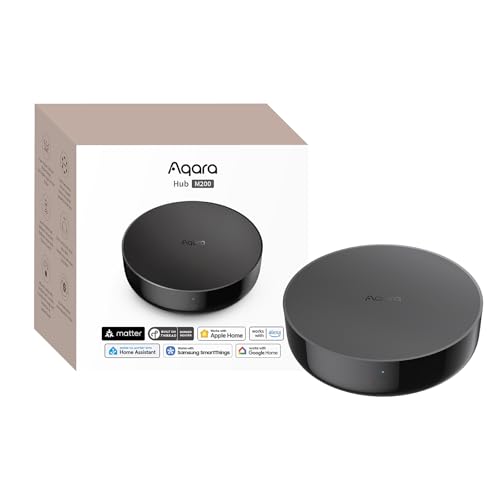
A hub that speaks Zigbee, Thread and Matter, and can also aim an infrared beam at your air conditioner.
This is the one box on the list that tries to be a translator. It works as a Matter Controller, a Thread Border Router and a Matter Bridge, pulling third-party devices into the Aqara Home app and then syncing them out to Home Assistant, Apple HomeKit, Alexa and Google Home. It handles up to 40 Aqara Zigbee devices and 40 Thread devices — enough for a serious house, not an estate. Local execution means Zigbee and Matter automations keep running without Wi-Fi or cloud access, with the brand quoting millisecond response times.
The 360° IR blaster (an infrared emitter that beams remote-control signals in every direction) is the part that surprises people. It does not just fire commands at your split-system air conditioner; it also detects when you use the original remote, so it can report the true on/off state. Paired with an Aqara Temperature and Humidity Sensor it acts as an AC thermostat, exposed to Matter (the cross-brand smart-home standard) — though only one AC device can be exposed to Matter at a time. There is a built-in speaker for alarm and doorbell duties, plus dual-band Wi-Fi (2.4/5 GHz) with WPA3 security (a newer Wi-Fi password standard), PoE, and a USB-C port that will run the hub off a mini-UPS or power bank so brief outages do not take your automations down.
Compatibility is what lands with owners — 22 mentions make it the top praise area — and the migration stories are the same: replacing an older Aqara hub carried every Zigbee device across and added Matter support with more stable connections afterwards. The honest friction is setup and connectivity, both of which read mixed. Expect to spend time in the Aqara Home app, expect some older Zigbee sensors to drop until you tune your network, and know that third-party Zigbee devices are not supported here — this is an Aqara-first hub with a bridge out.
Compared with the SLZB-06M, you are trading raw Zigbee radio reach for protocol translation and heating control.
Best for: Aqara households that also want to pull third-party gear into Apple Home, Alexa or Google Home over Matter.
Don’t expect: a home for someone else’s Zigbee bulbs — third-party Zigbee devices are not supported.
6. Aeotec Smart Home Hub2 — V4, SmartThings Hub
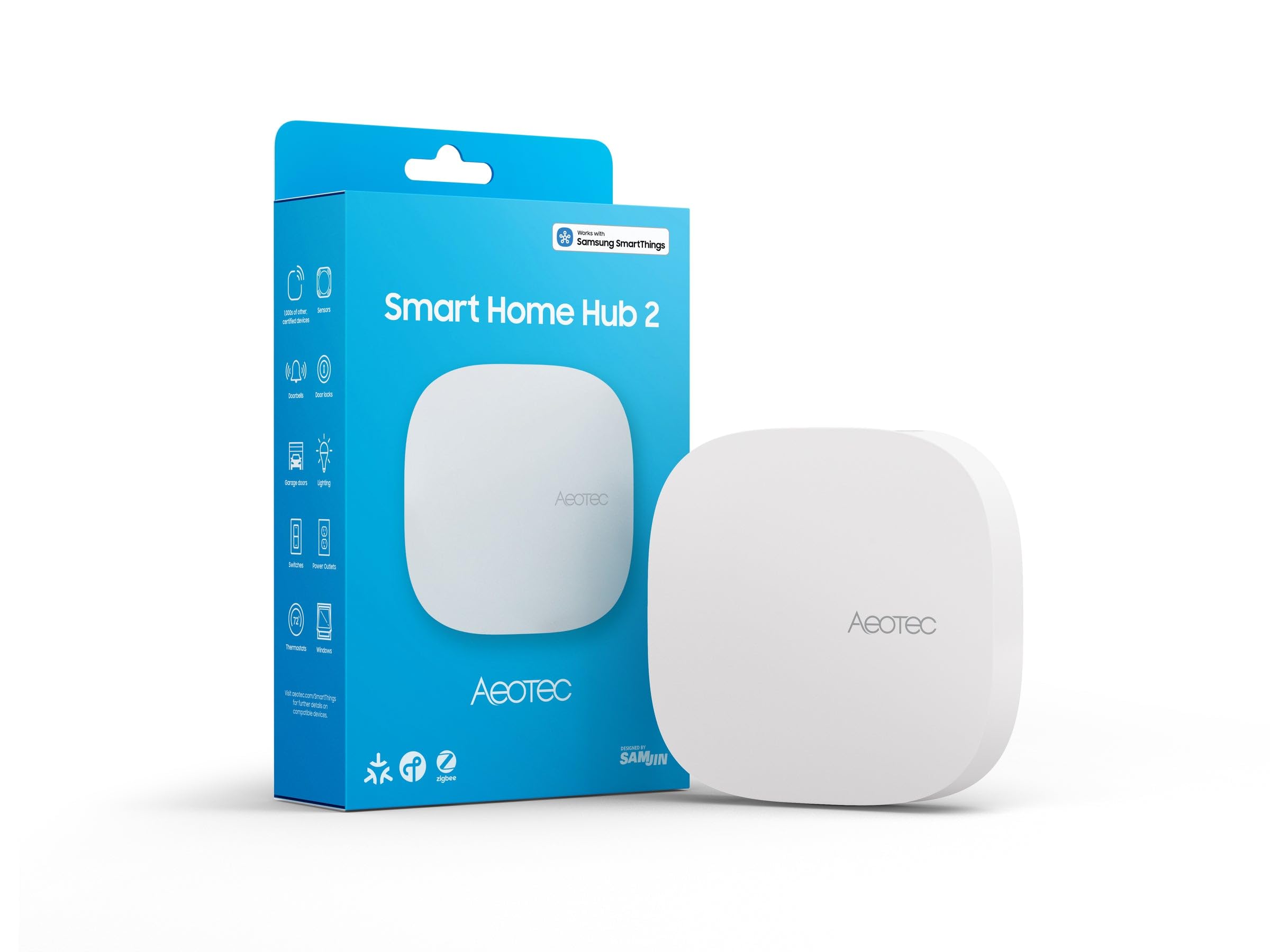
Samsung’s ecosystem in a white puck — Zigbee and Matter, no Z-Wave, no server.
The pitch here is simple: a hub that sets up from your phone and speaks the current standards. Zigbee handles lighting, sensors, plugs, switches and thermostats, and Matter support brings in the newer device class — thousands of compatible devices in total. You get it onto the network over Wi-Fi or a wired Ethernet port, create routines in the SmartThings app, and many local automations carry on even if your internet drops. The built-in adapter and Ethernet cable both come in the box, so there is no scramble on day one.
The feature most buyers will not notice until they need it is the local processing (the hub runs your automations on the box itself, not in the cloud): motion-triggered lighting keeps working during a temporary outage. It also shines as a fix for a specific frustration — if a smart display acting as a Thread border router (the device that links Thread gadgets to your network) keeps reporting “busy” when it tries to drive Matter-over-Ethernet blinds or Matter-over-Thread curtains, routing those devices through this hub stabilises them.
Now the parts you should know before buying. This version does not support Z-Wave, full stop — if your lock is Z-Wave, it will not talk to this hub. And the recurring theme in owner feedback is that the connection can be temperamental: it sometimes falls off the network, and heavy multi-step routines can outrun it, even though simple motion lighting holds up fine. The physical weak point that shows up is the network jack, which can be fussy about keeping a cable seated. Give it a patient first setup — it needs to finish its updates before you move devices across, or you will be re-pairing.
Set beside the Aqara M200, this trades the IR blaster and Thread border routing for Samsung’s app polish and Matter device breadth.
Works from the start: Zigbee and Matter devices pair immediately, and many routines run locally.
Where it strains: complex routines and a shaky TCP link are the two complaints that repeat, so keep your automations lean.
Go here if: you are happy living inside the SmartThings app and want Zigbee plus Matter without maintaining a server.
Look elsewhere if: you have Z-Wave locks — this hub cannot see them.
7. Philips Hue Bridge Pro Smart Lighting Hub

For houses with so many Hue bulbs that one bridge stopped coping.
This is a lighting hub first and a Zigbee hub second. The Hue Chip Pro runs a 1.7 GHz quad-core Cortex-A35 CPU, and the Bridge Pro carries 4 GB DDR4 SDRAM to store up to 500 personalised scenes and more automations. More to the point, it supports 150+ lights and 50+ accessories on one bridge. If you have been daisy-chaining older Bridges to cover a large install, that single-box capacity is the whole reason to upgrade.
The migration experience is where this earns its keep. Owners with around 140 Hue lights spread across three older bridges report that one Bridge Pro replaced all three, fixed the multi-click button lag, dropped connections and rooms that only half-lit, and did it with an automated migration — a settings move in roughly 10 to 20 minutes, followed by a couple of hours tidying up a few lost scenes and buttons. The Hue Chip Pro makes response near-instant, and third-party apps feel quicker too. MotionAware is the clever extra: programme your lights to switch on with movement using just 3 Hue devices, no separate motion sensor required. Security gets a mention too, with the new Zigbee Trust Center guarding against unauthorised access, and it plays nicely with Apple Home, Alexa, Google and SmartThings.
The honest limit is that it is a Hue Zigbee network. Do not expect it to run an Aqara sensor or a Tuya plug — this is the hub for the bulbs it was built for. Some owners also hit Apple Home integration that simply was not working yet at time of writing, so if that combination is essential, verify it first.
Next to the Aeotec Hub2 above, this is narrower by design: fewer device types, far more lighting horsepower and a mature local lighting engine.
Capacity in one line: 150+ lights and 50+ accessories on a single bridge, with 4 GB DDR4 SDRAM holding 500 scenes.
The trade-off: Hue gear only, and one popular ecosystem bridge is still catching up.
The fit: large Hue installs, especially anyone juggling two or three older bridges.
Not the fit: mixed-brand Zigbee systems or anyone wanting to run sensors outside the Hue family.
8. Hubitat Elevation C-8 Pro Smart Home Hub
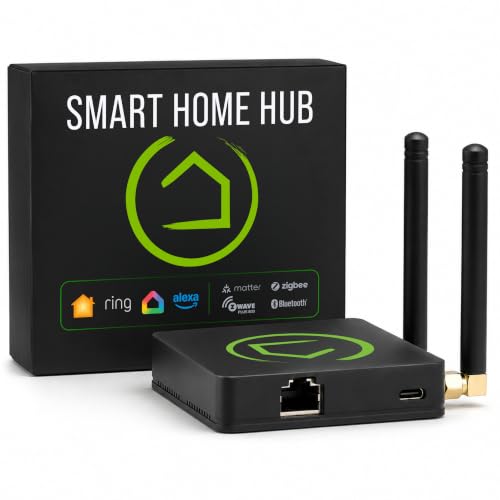
The box that runs everything itself — and expects you to keep up.
One hub, four radios: Matter 1.5, Z-Wave 800 Series with Long Range, Zigbee 3.0 and Bluetooth. Two dedicated external antennas, one for Z-Wave and one for Zigbee, push the signal further in a large or device-dense house. And it all runs locally: automations execute on the hub, not on a remote server, so lights, locks and thermostats keep working when the internet goes down, with device data staying at home. Compatible with 1,000+ devices across 100+ brands, it needs no subscription.
The automation side is where power users live. Rule Machine handles multi-condition logic across lighting scenes, geofenced arrivals, layered security responses and whole-home scheduling, and the AI-assisted routine builder suggests automations from your connected devices. A simple example the brand gives: family arrives after dark, the hub open up the door, lights the pathway and adjusts the thermostat. Alexa, Google Home and Apple HomeKit all connect, and Ring camera integration adds a security layer.
Here is the honest half. Compatibility is what people praise most — 8 mentions, with most older Z-Wave, Zigbee and even Insteon devices pairing via a driver — but setup is the mixed area, and it is genuinely the difficulty people warn about. A migration of 100+ devices can be fast and simple, yet the initial software updates can drag past an hour each, and one owner describes running multiple sessions at once as getting sluggish until a restart. The UI rewards study: it is a hub for someone willing to read, not a plug-in-and-forget puck. Small footprint, too — compact at 3.23 x 2.95 x 0.67 in and just 0.16 lb.
Compared with the Aeotec Hub2, you gain Z-Wave and a real rule engine, and you pay for it in setup time rather than money.
The buyer: a tinkerer who wants one local box for Zigbee, Z-Wave, Matter and Bluetooth with no monthly fee.
Honest warning: if you want an out-of-the-box app experience, this is the most demanding setup on the list.
9. Tuya Zigbee 3.0 Hub Gateway with Antenna
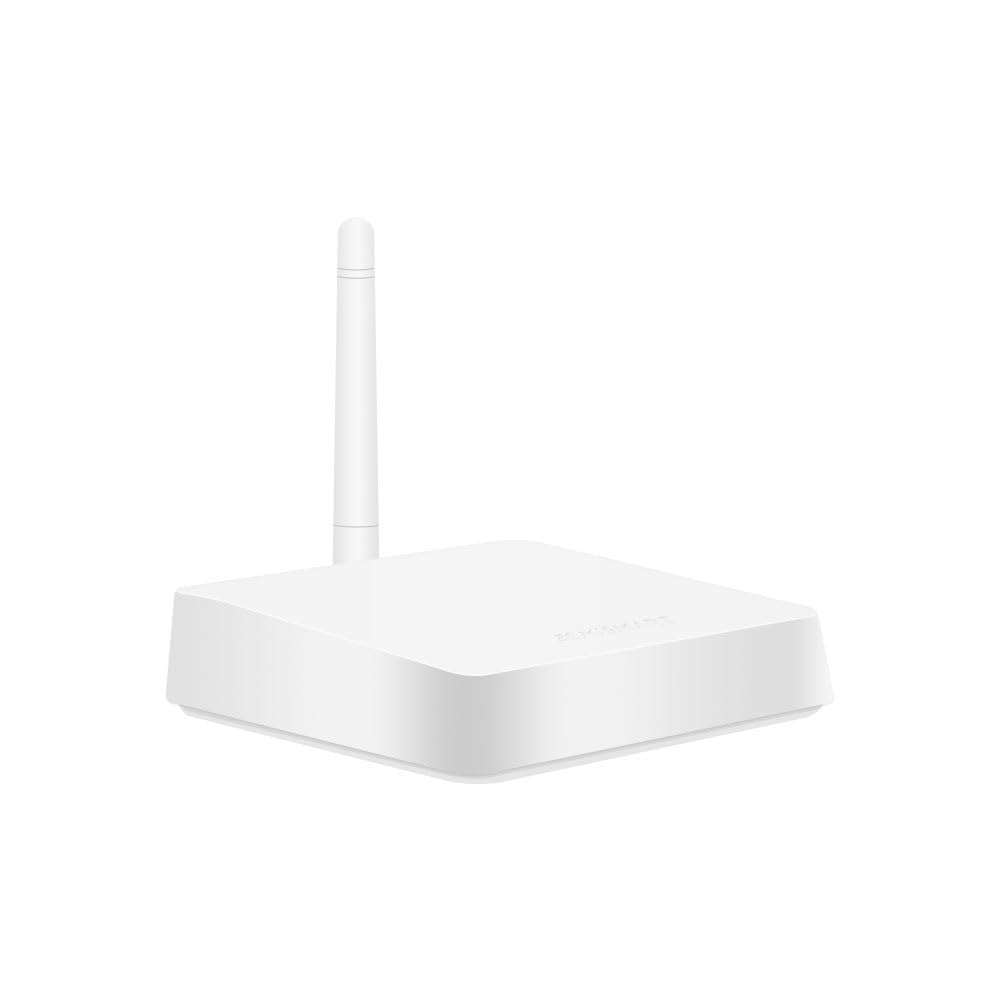
The cheapest way into app-controlled Tuya Zigbee gear — as long as your Wi-Fi behaves.
If you have a drawer of Tuya Zigbee curtain motors, plugs, switches, bulbs and sensors, this small white gateway brings them under one app. The new version adds an antenna, quoted to cover around 15m in unobstructed, open areas — and the older complaint of a weak signal is exactly what that antenna is meant to address. It takes USB power rather than a wall brick, which one buyer rates as a genuine plus, and it comes with the power cable and a network cable in the box.
Setup is the strong suit. You pair the hub through the Tuya or Smart Life app, then add devices, and the common path is quick: plug in, join your LAN, and most older devices follow along. It supports Alexa and Google Home voice control, and Siri voice control once your Tuya Zigbee devices are connected to the gateway. Control follows you anywhere through the app.
The catch is fundamental, and you should decide now whether you can live with it: this hub depends on the cloud. An internet outage takes your automations with it — the app cannot reach the devices. That is not a defect so much as the architecture, and if your lights must survive a dropped connection, a local hub is the answer instead. It is also a Tuya-family hub: it is built for Tuya ZigBee devices, so check your existing hardware is on the list before you commit.
The upside is that it is the least expensive route into Zigbee here and needs no server, no firmware flashing and no Linux expertise. Point it at your existing Tuya kit and it just does the job.
What it does well
- Antenna version extends coverage for open areas.
- USB-powered, so it runs off a spare port.
- Alexa, Google Home and Siri voice control once devices are joined.
- Comes with power and network cables.
What it won’t do
- Needs the internet — a dropped connection halts automations.
- Built for Tuya ZigBee devices, not a general-purpose Zigbee hub.
Buy it when: you are already deep in Tuya or Smart Life devices and want a low-cost gateway with antenna coverage.
Steer clear if: your smart home has to keep working when the internet does not.
Know the Specs
Zigbee coordinator vs hub
A coordinator is a radio that connects Zigbee devices to a host computer — a USB stick like the SONOFF MG24 or a network unit like the SLZB-06M. A hub is a box that runs the software and the app itself. Coordinators give you local control and full automation freedom but require a server you maintain. Hubs are simpler but hand the decision-making to their app. Know which one your setup already needs before comparing specs.
Antenna gain in dBi
Antenna gain, quoted in dBi, describes how tightly the radio focuses its signal — higher means more reach in a given direction. The SONOFF MG24 lists a 3dBi default optimised to 4.5dBi, and the SLZB-06M includes a +5dB antenna. Pair that with the included USB extension cable or PoE so the radio can be moved clear of metal cases and walls, which matters more than the antenna number in practice.
Local control and the cloud
Local control means the hub processes automations on the device itself. If the internet drops, your lights, locks and routines keep responding. Several picks here run that way: the Hubitat processes directly on the hub, the Aeotec keeps many local routines alive, and the Aqara M200 executes Zigbee and Matter automations without Wi-Fi. A cloud-dependent gateway like the Tuya hub stops working when the connection goes. Ask this question before anything else.
PoE and physical placement
PoE (power over Ethernet) feeds power through the network cable, so a coordinator can sit anywhere you can run one cable. Both SMLIGHT units and the Aqara M200 support it. This solves the classic weak-signal problem: putting the radio in the centre of the house instead of behind a desk. A dedicated external antenna, like the Hubitat’s separate Z-Wave and Zigbee antennas, delivers similar practical benefit.
Common Questions
Do I need a server like Home Assistant to use these Zigbee hubs?
Will a Zigbee hub work if my internet goes down?
Can a Tuya Zigbee hub control Aqara or Philips Hue devices?
What does the dBi number on a Zigbee antenna actually mean?
Is a USB Zigbee stick better than a standalone hub?
How many Zigbee devices can these hubs handle?
Do any of these hubs handle Z-Wave as well as Zigbee?
Why do some Zigbee hubs need PoE or an Ethernet cable?
Can I run more than one Zigbee coordinator on one server?
Does a Zigbee hub work with Thread and Matter devices too?
The Bottom Line
For most people already running Home Assistant, the SONOFF Zigbee 3.0 USB Dongle Plus MG24 is the one to buy — 4.5+ stars, the strongest antenna rating in the pair it belongs to, and it keeps your whole Zigbee mesh (the web of devices that relay signals to each other) local. If your house mixes Z-Wave locks with Zigbee sensors,Z-Stick 10 Pro puts both radios in one slim stick and needs no cloud at all. And for anyone who wants a box that does the thinking without a server, the Aeotec Smart Home Hub2 sets up from your phone and speaks both Zigbee and Matter — just confirm none of your devices are Z-Wave first. Whichever way you go, the deciding question is never the sticker or the antenna spec; it is if you want to run the software yourself or hand that job to an app.
How we choose
We do not accept paid placement. Every pick is matched to a real buyer and a real use-case; we do not hands-on test units.
Sources
Specifications: manufacturer listings and product documentation. Review insights: verified customer reviews, as of October 2026. Pricing: not shown on this page (it changes often); check the current price via the retailer link.
As an Amazon Associate, Home Digitized earns from qualifying purchases. This does not affect which products we feature.