
Specs are compiled from manufacturer listings and verified buyer reviews and can change over time — please confirm the key details on the product page before buying.
If you are setting up a camera to check on an aging parent, the feature that matters most is not video resolution — it is whether your parent can actually reach you without fumbling with a phone. The picks below all connect to Wi-Fi, stream live to your phone from anywhere, and carry a speaker and microphone so you can talk back and forth. One quick note on how this list was built: the picks below use flexible, human-like matching for two-way audio (a speaker plus a microphone so you can talk to the person), so not every model is the exact unit someone searched for — the nearest same-type camera does the same job. That way you are never misled about what you are buying.
This guide is built by comparing the manufacturers’ published specifications and the patterns across verified customer reviews, so you get each pick’s real strengths and trade-offs instead of marketing spin.
You do not need a security system or a monthly bill to keep an eye on someone you love. A plug-in indoor camera with a loud enough speaker, a clear enough lens, and a button your parent can press is often all it takes — that is the whole idea behind cameras for elderly monitoring.
Top Picks


How To Choose The Best Cameras for Elderly Monitoring
Buying a camera for an elderly parent is a different job than buying a camera for a shop or a driveway. The question is not “how secure is my house” — it is “can I see and hear my mom, and can she reach me without stress.” Everything below comes back to that.
Talk-back audio comes before picture quality
A camera without a speaker is a window, not a conversation. Two-way audio means the lens housing also holds a microphone and a loudspeaker, so when your parent is sitting still in a chair for an hour, you can say something out loud and hear whatever comes back. If a camera lacks the speaker half, you are watching a silent film — useful, but much less reassuring.
Movement coverage: can one camera see the whole room?
A fixed lens on a shelf sees roughly one narrow slice of a living room. A pan-and-tilt head swivels sideways and up and down, so one camera can sweep the couch, the chair, and the doorway. Horizontal pan figures around 350 to 355 degrees mean the camera can look almost the full way around from a single mounting point.
Will your parent actually use it?
The most overlooked spec on this entire page is the button. If your parent has to open an app, tap a contact, and wait for a ring, the device goes unused. A camera with a single physical call button — press once, you ring — gets used daily by people who have never sent a text message. Match the button to the person, not to the brochure.
Storage and privacy in the room
Some cameras keep recordings on a memory card you insert into the camera, others push clips to a company cloud. Local SD storage keeps footage physically in the house, which many families prefer for a bedroom or living room camera. Cloud plans usually come with a subscription, so decide if you want a monthly bill before you pick.
Side-by-Side Comparison
Every number below is pulled straight from the manufacturer’s own listing, so you can line up the trade-offs side by side.
| Model | Best For | Resolution | Field of View | Storage | Amazon |
|---|---|---|---|---|---|
| Ring Indoor Cam★ Best Overall | Anyone wanting a name they already trust | 1080p HD | Fixed lens | Ring Protect subscription | Amazon |
| ZUMIMALL 2K IndoorBest Value | Bedroom and nursery close-ups | 3MP | 355° horizontal, 120° vertical | Cloud or microSD up to 128GB | Amazon |
| REOLINK E1No Subscription | Zero-subscription households | 4MP (2K) | 355° pan, 80° field of view | microSD up to 512GB | Amazon |
| Blink Mini Pan-Tilt | Alexa homes already using Blink | HD | 360° pan and tilt | Cloud or Sync Module USB | Amazon |
| Blink Mini 2K+ | Sharp detail on a tight budget | 2K with up to 4x zoom | Fixed lens | Cloud with optional local | Amazon |
| NGTeco Two-Way Calling Cam | Parents who freeze at apps | 4MP (2560×1440) | 102° wide, 340° pan | 128GB microSD or cloud | Amazon |
| youkey P310 2.5K | No-fee AI tracking | 2.5K | 360° panoramic | microSD up to 256GB | Amazon |
| KEENLUK 4.3″ Screen Cam | Elderly care calls with an on-device screen | 1080p HD | 350° wide lens | Local SD card | Amazon |
| eufy E30 4K | Highest detail, no subscription | 4K | 360° panoramic | microSD, no monthly fees | Amazon |
Detailed Reviews
1. Ring Indoor Cam
Our pick — 4.5+★ from 46,500+ verified ratings; the strongest balance of quality and price.
The most widely owned indoor camera on this list, and the one your family likely already knows how to use.
If you want a monitoring camera that your family already knows how to use, this is the safest bet on the page. It shoots in 1080p HD, which is the everyday resolution of high-definition television, and it swings between full color and infrared night vision so the room never goes fully invisible after dark. Live View streams straight to your phone, and a small manual Privacy Cover slides over the lens so you can blank the camera with a physical swivel rather than a menu.
Two things make it practical for checking on someone during the day. First, Advanced Pre-Roll records a few extra seconds of footage before each motion event, so you see what led up to the movement rather than a clip starting mid-stride. Second, because it is plug-in, you can move it from the kitchen counter to a high shelf with the flexible swivel mount whenever your parent’s routine shifts. It also pairs with Alexa, so an Echo Show can show the room and let you speak hands-free.
The honest catch is the subscription. Ring Protect is what open up AI-powered alerts and scroll-back history, and it is sold separately — the hardware works without it, but the richest features do not. That subscription cost is the one thing buyers mention again and again, and the reviewer pages sum it up with a level head: “This is the best camera I have purchased but I do like the cost in subscription.”
What buyers talk about
- Picture quality earns the loudest praise of any feature — 1080p stays crisp on phones and tablets.
- Setup is a plug-and-Wi-Fi job, and the app walks you through it in minutes.
- The blue alert light is a visible deterrent and a handy visual cue your parent can spot.
- Integrates with existing Ring cameras so home and room sit in one app.
Where it stumbles
- Connectivity is the single most debated topic — some households report the camera dropping off the network.
- Advanced Pre-Roll and scroll-back need Ring Protect, sold separately.
- No pan or tilt, so one unit watches one wall of the room.
Reach for this if: you want a proven, plug-and-play indoor camera and your household already leans Alexa.
Look elsewhere if: you would rather not pay a monthly subscription, or you need a camera head that pivots to follow a person across the room.
2. ZUMIMALL 2K Indoor Security Camera
One rotating camera that turns a whole living room into a single view — and costs the same as the fixed-lens pack.
The ZUMIMALL answers the biggest frustration with fixed cameras: a lens on a shelf sees one corner, and your parent can wander out of frame. This one sits on a motorized base that swivels 355 degrees side to side and tilts 120 degrees up and down, so the app can point it wherever you want. Its sensor captures 3MP, which is a step sharper than a standard 1080p camera, and it supports both the 2.4GHz and 5GHz Wi-Fi bands so you can pick the steadier signal in your parent’s house.
what separates it for elderly check-ins is the physical privacy lens. When you are not watching, the app rotates the lens upward so it physically blocks the camera — no software toggle, an actual barrier. It also carries both a microphone and a speaker for two-way talk, and the multi-person sharing means siblings can all log in from their own phones. Storage runs either to a 128GB microSD card or to the cloud, and the review pages celebrate how much you get for the money.
Here is the honest trade-off. The card slot is also the known weak spot. Some users report the camera failing until the SD card is removed and reformatted.
Who it clicks for: if you want to pan the room from your phone and you are happy to run it on a memory card instead of a cloud plan, this is the sharper value of the two pan-tilt cameras.
Small print to plan around: the 6-second free cloud clips are short — go local SD if you want longer recordings without a subscription.
Best fit for: a family that wants one rotating camera per room with no cloud mandate.
skip it if: you would rather avoid microSD cards altogether and want the longest clips built in from day one.
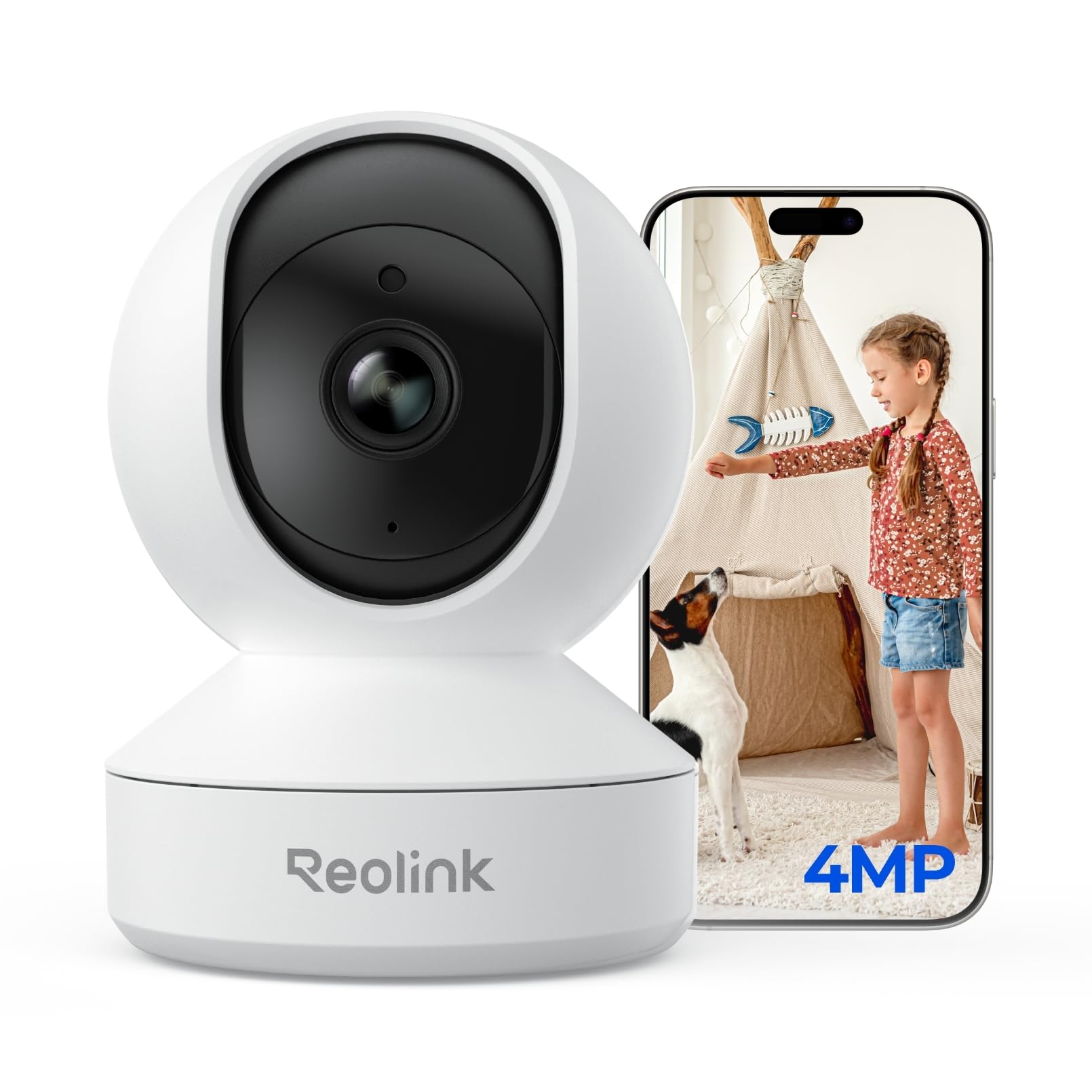
3. REOLINK 4MP 2K Indoor Camera E1
The bedroom camera that never sends you a bill — and shows your parent at 4MP clarity.
If you have ever flinched at a cloud subscription, this is the camera built for you. The E1 stores footage locally on a microSD card — it takes cards up to 512GB — and that card capacity is more than four times the 128GB ceiling of the ZUMIMALL pan-tilt above. There is no subscription required for the core app at all, and the camera supports up to 10 users with four live viewers at once, so every sibling can log in without stepping on each other.
The lens captures 4MP, which is a 2K-class resolution, and REOLINK states that this pairs with enhanced infrared night vision for a 30% sharper image than the baseline. In practice that means you can make out something as fine as a sleeping face or a pet’s fur when the room is dark. For elderly check-ins, the 355-degree pan plus motion tracking lets the head follow someone as they move, and Privacy Mode blanks the lens and mutes the audio on command — with that control kept for the main admin only.
Now the catch worth knowing upfront. The camera runs exclusively on 2.4GHz Wi-Fi, so if your parent’s router leans on 5GHz for everything, you need to make sure the 2.4 band is switched on. The review pages also flag connectivity as the most common gripe — some units simply refuse to join the network on the first try, and the two-way audio can carry a slight delay or echo when you speak.
Why families lean here: zero subscription for the essentials plus the biggest memory card support in this roundup means almost everything stays inside the home.
Setup reality check: budget a few extra minutes to confirm your parent’s router broadcasts a 2.4GHz band before you mount anything.
Best for: households that want sharp 4MP footage and local storage, with no monthly plan ever.
Think twice if: your parent’s Wi-Fi is 5GHz-only, or you find a slight audio delay on a call unacceptable.
4. Blink Mini Pan-Tilt Camera

A rotating camera that your family can install in under ten minutes without calling a tech-savvy friend.
The Blink Mini Pan-Tilt takes the tiny plug-in Blink camera that already sits in a lot of homes and drops it onto a small motorized mount. From your phone, tablet, or a compatible Alexa screen, the head swipes left and right and tilts up and down for full 360-degree room coverage. That range means one camera can start on a doorway and end on a favorite chair, and Blink’s daily-light-plus-infrared night view keeps the picture usable after the lights go off.
Where this camera earns its keep in an elderly-monitoring setup is the storage flexibility. You can subscribe to the Blink Subscription Plan — it comes with a free 30-day trial — or skip the plan entirely and store locally by pairing the camera with a Sync Module 2 and a USB drive, each sold separately. If your family already owns Blink cameras or an Echo device, this slots straight into the app you are already familiar with, and the drive-mounted install is documented at under ten minutes with the surface mount and guide.
The trade-off to know about is performance under load. Motion detection draws mixed feelings in the review pages — some setups trigger instantly, others miss an event — and a small handful of buyers report the camera going offline and needing a reinstall, often where the Wi-Fi is stretched thin. The mount also rotates at a leisurely pace, so rapid movements across a room can outpace it.
Why it works for families: the 360-degree pan eliminates the single-corner problem, and local USB storage gives you an escape hatch from a subscription if you want one.
Where it slows down: the motor is not built for speed — a person who walks briskly across the room may slip out of view before the head catches up.
Pick this for: the Blink and Alexa household that wants rotating coverage without buying into a whole new ecosystem.
Steer clear if: you need pinpoint motion accuracy or the fastest possible camera head rotation.
5. Blink Mini 2K+
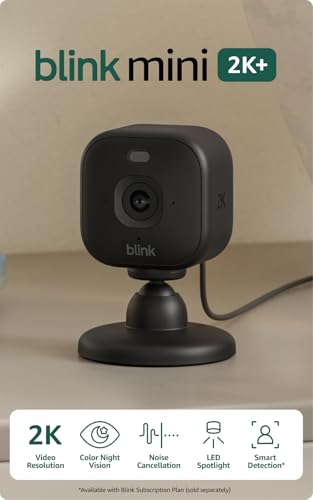
The third-generation Blink Mini throws 2K detail into a plug-in body — and never asks you to charge a battery.
This tiny plug-in camera from Blink stands out for one reason above all: it shoots in 2K video resolution, which means noticeably more pixels on screen than the original 1080p Blink Mini — so a face across the room, or the label on a pill bottle, stays legible. Blink pairs that with a zoom that reaches up to 4x, letting you push into a detail without physically moving the camera. And because it plugs into the wall, there is no battery charging ritual to add to your parent’s week.
The audio side got an upgrade too. Blink describes enhanced clarity with noise cancellation, so when your parent speaks from across a room, the microphone should distinguish a voice from the hum of the fridge. Person and vehicle detection are available through an optional Blink Subscription Plan, and the camera connects to the Blink Video Doorbell as a plug-in chime if your household runs that setup. Footage lands in the cloud through a free 30-day subscription trial, then a paid plan if you keep it.
The genuine limitation is that this is a fixed lens. Unlike the pan-tilt Blink above, it does not rotate — so you position it once and it holds that frame. If your parent moves from the kitchen to the bedroom, you need a second unit rather than a swipe in the app. Some owners also report the usual Wi-Fi reliability inconsistency, with a handful noting the camera drops off the network from time to time.
The upgrade worth paying for: 2K resolution sharpens every detail in the frame, and the zoom feature turns a wide shot into a close-up on demand.
What you give up: no pan, no tilt — a fixed window onto one spot in the room.
Ideal for: a fixed angle on a single spot — a favorite chair, a bedside, a hallway — with top-tier clarity for the money.
Not for you if: you need one camera to sweep an entire room, or you refuse to sign up for any cloud plan at all.
6. NGTeco Two Way Video Calling Camera
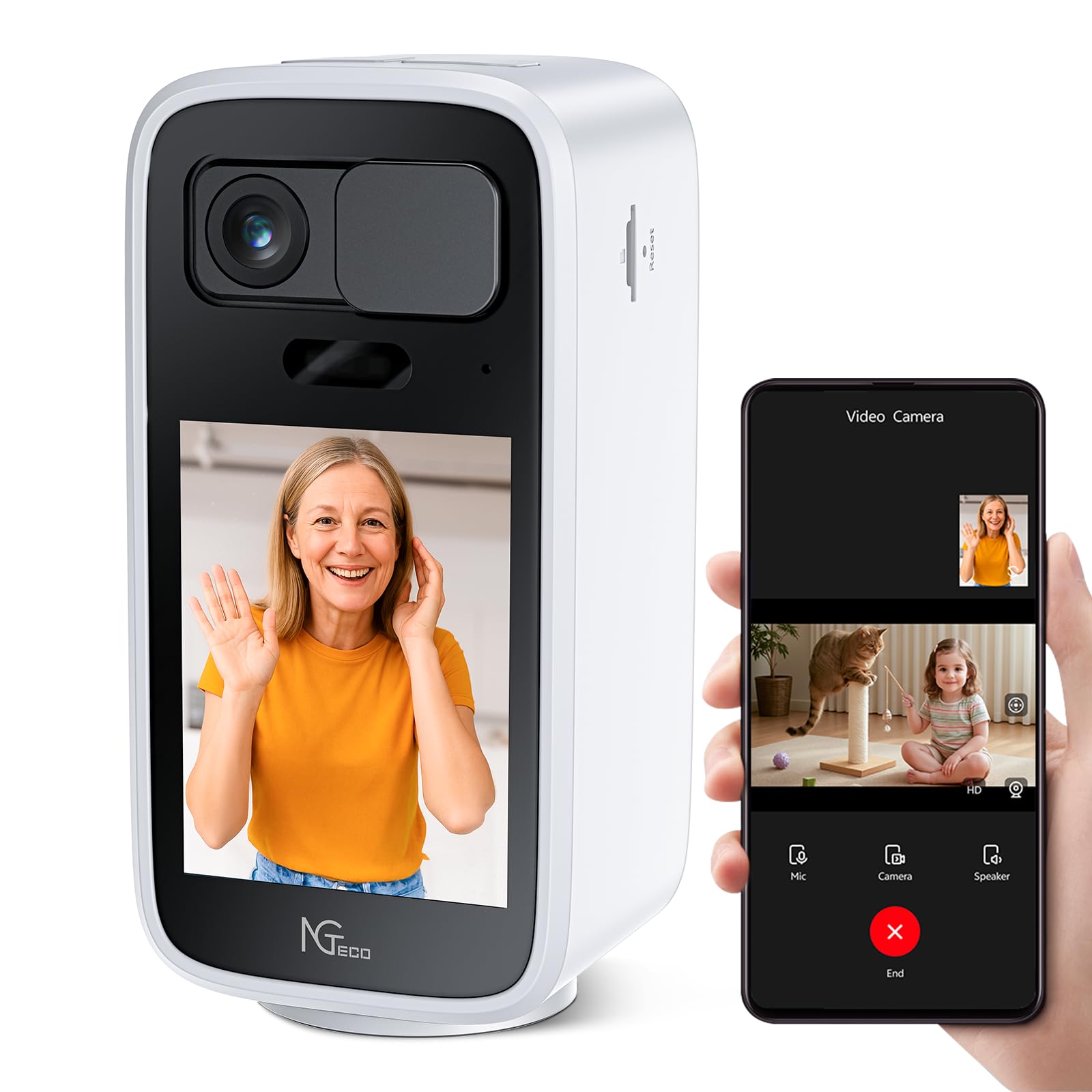
The camera that lets your parent ring you with one press — no app, no password, no confusion.
This is the pick for the parent who has never sent a text and treats every phone screen as a maze. NGTeco built it around a single physical call button: your parent presses it once and a video call opens on your smartphone. No app navigation, no contact list, no waiting on your reply. It also has a 2.8-inch screen right on the camera body, so your parent can watch your face on the device itself while the call runs — which most of the fixed indoor cameras in this roundup do not offer.
The lens captures 4MP at 2560×1440, a genuinely sharp resolution, with a wide view and a horizontal pan that sweeps up to 340 degrees across the room. It shoots color night vision across the range the manufacturer rates for it, and its H.265 encoding keeps the stream smaller over Wi-Fi, which helps when your parent’s internet is not lightning fast. The physical lens cover slides shut for privacy, and the dual-band Wi-Fi design lets you run it on either the 2.4GHz or 5GHz band for a cleaner signal.
The trade-off is scale. This camera is the newest model in the group, so the track record is short and buyers have had far less time to wear it in. The calling design and one-press button are what people rave about — the “hit the little phone on top and it calls your phone” experience is exactly why families choose it — but every brand has a few units that arrive imperfect, and this one is no exception.
The reason families choose it: the one-touch button plus the on-camera screen together remove every obstacle between your parent and your voice.
What to keep in mind: it is a young product, so buy it deliberately if you want a long established track record behind your camera.
Best for: the parent who is not comfortable with smartphones, and who would rather press one button than open an app.
Consider another pick if: your first priority is decades of established track record rather than out-of-the-box ease.
7. youkey 2.5K Indoor Pet Security Camera
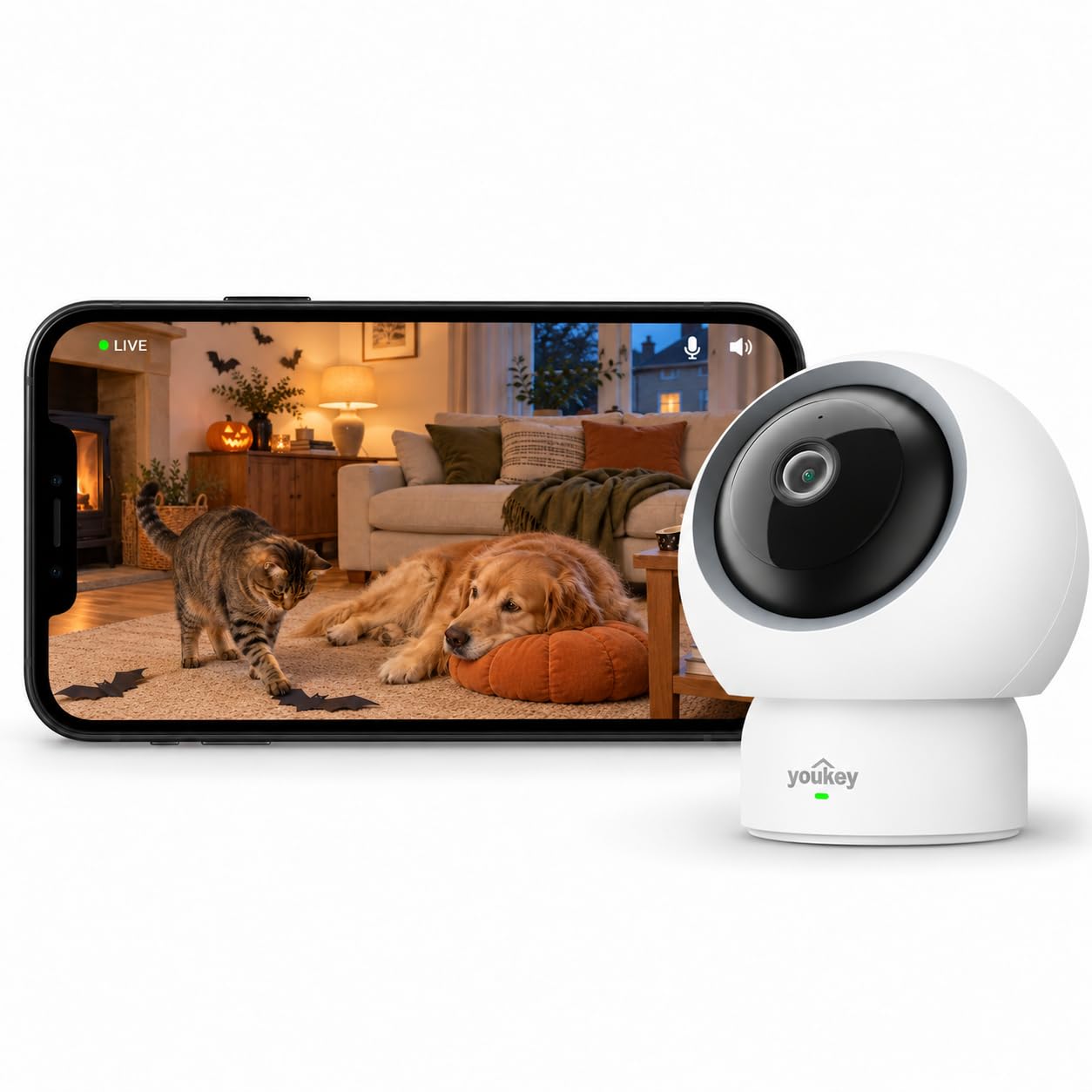
A 2.5K camera that follows your loved one around the room without ever asking for a monthly fee.
The youkey P310 captures video at 2.5K, which is a step above 1080p, and its full 360-degree panoramic head spins to cover the whole room. The standout claim is that the core AI features — human and pet detection, auto-tracking — carry no monthly fee. Local SD card storage handles up to 256GB, which is double what the ZUMIMALL pan-tilt above accepts, so you can keep more of the archive without a cloud subscription. For elderly households where a parent might move from bed to kitchen, the AI human tracking will follow them within the camera’s view.
The physical privacy mode is a nice touch: press once to shut the lens mechanically when you are not watching. Setup runs on either the 2.4GHz or the 5GHz band, and the dual-band Wi-Fi 6 design keeps the connection steady enough to view live without buffering most of the time. The room coverage through 360 degrees plus the mounting options — tabletop or wall — means one camera can be repositioned as circumstances change.
The one thing to keep in mind: you get what the camera decides to record on its own. One user reports the camera alerting without storing the matching clip, and the 2-minute intervals between some recordings can mean a gap if something happens quickly. That is the kind of detail that matters if you are relying on this camera to fill a hole you cannot otherwise check.
What earns it a spot: 2.5K resolution and AI tracking without a subscription, plus the largest SD card ceiling in this roundup’s pan-tilt tier.
Why some owners return it: the camera does not always record a saved clip for every alert it sends — the notification arrives, the video can sit behind a delay.
Good for: users who want an AI-tracking camera with local SD storage and no cloud bill.
Worth passing if: reliable clip capture on every single alert is essential to your confidence.
8. Home Security Camera with 4.3″ Screen

The one with the biggest screen on the camera itself — your parent sees your face while you see theirs.
This KEENLUK model goes hard at the family-calling angle. There is a 4.3-inch screen built into the camera body — bigger than the 2.8-inch display on the NGTeco above — so your parent can sit and look at your face on the device, not on a phone they struggle with. The one-button call does the same job the NGTeco does: press once, the video call rings through to your smartphone automatically. Video runs at 1080p HD, night vision comes built in, and the wide lens is paired with motion sensors to keep a full view of the room.
A feature that sets this one apart: your parent can also call a second device directly, device-to-device, so a household with two rooms can have both cameras talk without routing everything through a phone. The camera only runs on 2.4GHz Wi-Fi, which the manufacturer notes is intentional for stability. Storage is a local SD card — one is required but not included in the box, so plan to buy one alongside it.
The honest catch is that this camera is more complicated to set up than the fixed indoor units. The app is the weak spot in reviews — an occasional user hits a failed Wi-Fi connection through every reset and gives up — and one long-term report describes a unit that stopped working after a month and needed a hard reset it could not do remotely. On the other side, the design truly shines for the specific case it was built for. Multiple owners write about it helping keep an eye on an aging parent with memory loss, and one describes the layout as practically simple to use for someone with a cognitive condition.
Where this camera wins
- The 4.3-inch on-camera screen is the largest in this roundup for two-way calls.
- Single-button calling plus an auto-connect to the app keeps the parent’s role to a single press.
- Device-to-device calling means two cameras in the same home can talk without a phone in the loop.
What to watch for
- App reliability is the weakest point — some setups fail to complete the Wi-Fi connection.
- The SD card is required for local storage but is not in the box.
- Calls lock to the 2.4GHz band only, so a dual-band-heavy router needs the 2.4 side turned on.
The right call when: the person you are watching needs to see your face on a real screen and press one button to connect.
Consider another pick if: you want the simplest possible setup and cannot troubleshoot an app hiccup from a distance.
9. eufy Security 4K Indoor Camera E30
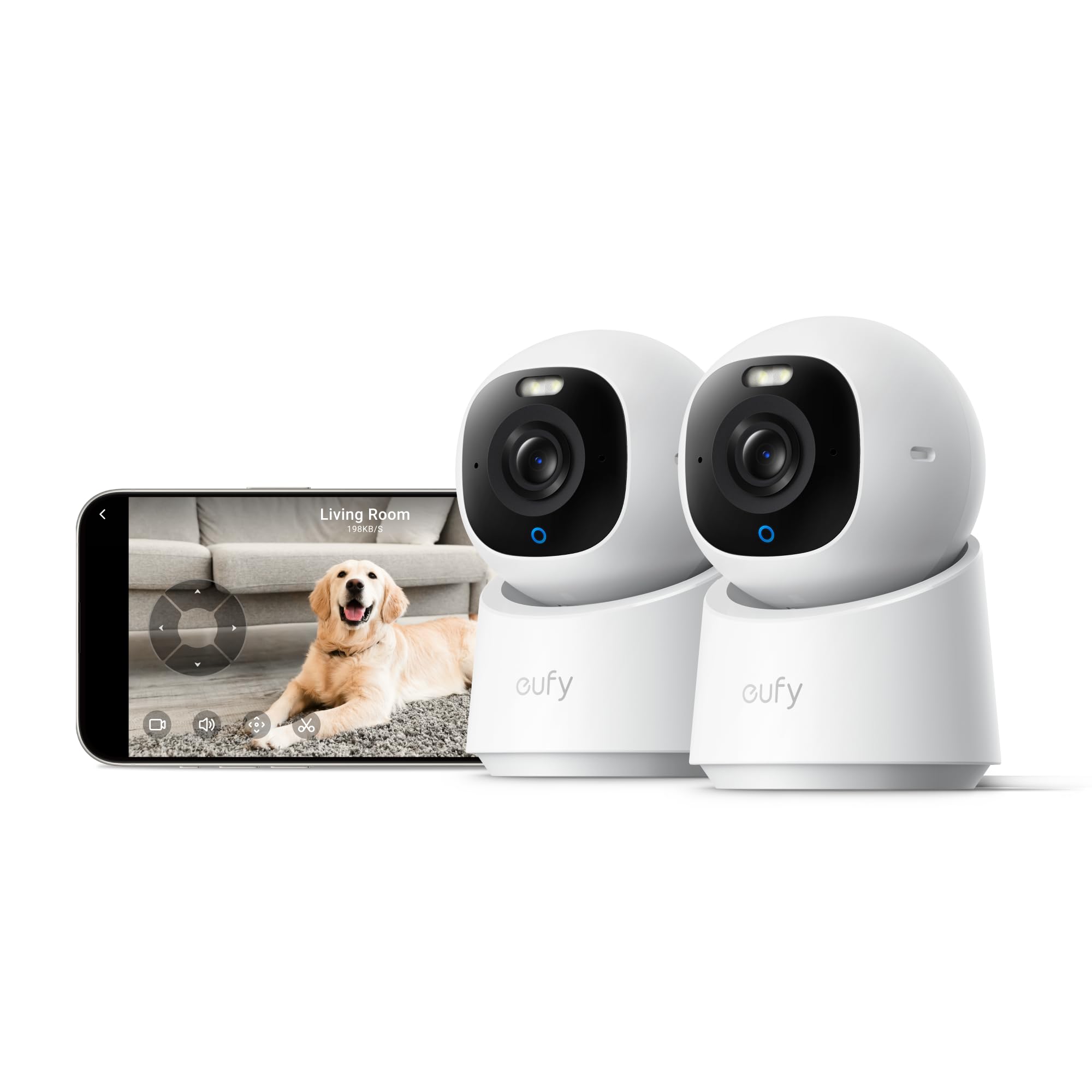
The clearest picture in the group — a 4K lens that tracks a person across the room and never charges a monthly bill.
This is the top of the ladder, and the reason is resolution. The eufy E30 shoots in 4K, which is four times the pixel count of full 1080p and the sharpest image on this page — enough that a face in a chair across a room or a pill label on a side table stays legible. The head sits on a 360-degree pan-and-tilt base, and eufy’s on-device AI separates humans from pets and audio cues, then auto-tracks whoever it sees moving in frame. That is a rare combination in elderly monitoring: full clarity plus full room coverage in one unit.
For a bedroom check-in the night view earns its price. The E30 has both color night vision and infrared night vision, with an integrated spotlight that switches between them at your phone’s command. The spotlight doubles as a deterrent, but the practical gift for a family is the choice — you can flip to full-color when you want to see exactly what is going on, or infrared when you want an unobtrusive peek. Storage is on a local SD card, and eufy advertises that the full feature set works with no subscription. It also works with HomeKit, Alexa, and Google Assistant, though eufy notes HomeKit streams at up to 1080p.
What to weigh against the price. The eufy needs a shelf position rather than a wall corner, and by its own setup notes it can tilt up less than you might want — you may not get a clear angle onto an adjacent wall. Racking it onto a lower surface and leaning it up can work, but it takes a little experimenting. Connectivity is broadly solid in the reviews, with occasional hiccups when tying the camera into a HomeBase 3 hub.
Why it commands the price: nothing else in this roundup gives you 4K resolution, AI person and pet detection, and 360-degree pan-and-tilt in the same camera.
The fine print: plan its spot in advance. It sits naturally on a shelf, and its upward tilt is limited — the wrong mount will leave a blind corner.
For the buyer who wants it all: 4K clarity, AI auto-tracking, and zero monthly fees in one camera.
pass on it if: you need a corner mount or you cannot live with a small amount of positioning fuss.
Know the Specs
Here is what the numbers on the box actually mean for a camera you point at your parent.
Resolution explained
Resolution is the number of picture dots the camera packs into each frame, written as a pixel measurement. Standard HD (1080p) is fine for seeing a room, but sharper numbers like 4MP, 2.5K, or 4K let you read a face or a label at a distance. Higher resolution does mean larger video files, which fills a memory card faster, so match the res to what you actually need to see.
Field of view and pan range
Field of view is how wide the fixed lens sees at once — an 80-degree lens watches a single slice, a 102-degree lens takes in more. Pan range is how far the motorized head can rotate; a 340 to 355-degree horizontal pan is nearly the full circle from one mount. Combining a wide lens with a wide pan range is how one camera covers an entire living room without a second unit.
Storage: cloud vs. local
Cloud storage uploads your clips to the maker’s servers, usually with a monthly fee and often a free-trial period. Local storage keeps recordings on a mircoSD card physically inside the camera — no bill, and the footage stays in the house. Some cameras support both, and some, like the eufy and REOLINK, emphasize the local option. Decide which you want before you buy.
Two-way audio quality
Two-way audio is the microphone and speaker inside the camera that let you hear your parent and be heard in return. Not every camera handles this equally — echo, delay, and background noise come up in reviews of even well-made models. If real conversation matters more than a quick check-in, pay attention to the audio notes on each pick here.
Common Questions
Do I need a subscription to use these cameras for elderly monitoring?
Will a camera with only 2.4GHz WiFi work in my parent’s house?
What is a one-touch call camera and why does it matter for an elderly parent?
Can these cameras see well in a dark bedroom at night?
How much memory card does each camera support?
Will a pan-and-tilt camera really cover a whole room?
Do these cameras work with Alexa or Google Assistant?
Can I move a camera from the living room to the bedroom easily?
What is the difference between a fixed-lens and a pan-tilt camera for monitoring?
Is a camera with a screen on it better for elderly monitoring than one without?
The Bottom Line
For most families the cameras for elderly monitoring winner is the Ring Indoor Cam because it is the simplest proven option, with 1080p HD video and enough buyers behind it to know exactly what to expect. If you want longer local SD storage and a wider lens, grab the REOLINK E1 — its 512GB card ceiling is the highest on this page. For the sharpest detail and the clearest picture, the eufy E30 is the one to reach for at the premium end.
If your parent needs to press a single button to reach you, the NGTeco is the one worth seeking out. And if 4K detail, onboard AI tracking, and zero subscription fee are the priorities, the eufy E30 earns its position at the top of the premium tier. Whichever you choose, match the camera to the person: a one-touch caller for the parent who will not open an app, and a pan-tilt unit for a parent who moves around the room.
How we choose
We do not accept paid placement. Every pick is matched to a real buyer and a real use-case; we do not hands-on test units.
Sources
Specifications: manufacturer listings and product documentation. Review insights: verified customer reviews, as of October 2026. Pricing: not shown on this page (it changes often); check the current price via the retailer link.
As an Amazon Associate, Home Digitized earns from qualifying purchases. This does not affect which products we feature.