
Specs are compiled from manufacturer listings and verified buyer reviews and can change over time — please confirm the key details on the product page before buying.
If you have ever tried to record a youth soccer match with your phone in one hand and a coffee in the other, you already know the problem: the moment you stop panning to check the scoreboard, the camera misses the goal. Ai tracking cameras for sports solve that by following the ball or the athlete automatically, so you can actually watch the game instead of staring at a screen. This guide breaks down nine systems that track play on their own, from clamp-on phone rigs to broadcast-grade PTZ units, and explains which tracking style suits which sport.
This guide is built by comparing the manufacturers’ published specifications and the patterns across verified customer reviews, so you get each pick’s real strengths and trade-offs instead of marketing spin.
Tracking accuracy, sensor size, and how the camera mounts decide whether your footage is usable — those three things matter far more than brand name. The picks below cover every budget tier, and each one earns its spot for a specific sport and sideline setup with ai tracking cameras for sports.
Top Picks
How To Choose The Best AI Tracking Cameras for Sports
Every system here follows the action on its own, so the real question is not whether the tracking works — it is whether it works for your sport, your gym, and your sideline. Three decisions settle almost everything: how the camera physically moves, where you can mount it, and what you get for ongoing access.
Optical zoom versus a fixed wide lens
A PTZ camera (pan, tilt, and zoom — it physically rotates its lens) with 30x optical zoom can pull a face into frame from the back of a stadium. That zoom is real glass, not digital upscaling, so distant detail stays sharp. A fixed 180° full-field lens takes the opposite approach: it never moves, sees the whole pitch at once, and crops digitally to keep play centered. For a small court, either works. On a full-size soccer pitch where the action is 200 feet away, only genuine optical zoom gets you close enough.
Where you mount it decides your tracking quality
Height is the quiet deal-breaker. Systems that crop digitally need to sit high — a factory-fed basketball rig that gets mounted too low ends up correcting for obstruction instead of following the ball. Many owners find that mounting on a wall bracket or a raised tripod row, not sideline floor level, is what turns tracking from unreliable into automatic. Check that your chosen venue actually has a mounting point before you commit.
Subscriptions, storage, and cloud access
Some systems stream and store clips with no subscription at all, bundling cloud space into the purchase. Others treat the camera as hardware that only open up with a paid plan. If you coach a single team and want a one-time cost, a no-subscription system removes the recurring line from your budget. If you need multi-camera broadcasts, weigh that against the access the plans provide before you buy.
Side-by-Side Comparison
| Model | Best For | Video Resolution | Optical Zoom | Tracking Type | Amazon |
|---|---|---|---|---|---|
| Prisual TEM-4K30N PRO★ Best Overall | Large venues and auditoriums | 4K at 60fps | 30x | Presenter and Zone AI | Amazon |
| BallerCam Sports Filming SystemBest for Parents | Parents filming team sports | 1080p (iPhone-dependent) | — | Ball tracking, 180° field | Amazon |
| XbotGo Chameleon (Lava Graphite)Best No-Subscription Rig | Coaches and clubs, no subscription | 4K at 60FPS | — | Ball and player tracking gimbal | Amazon |
| XbotGo Chameleon with Carry Case | Basketball with included case | 4K at 60FPS | — | AI auto-tracking gimbal | Amazon |
| Tenveo VX30M-Ultra 4K NDI | Multi-camera live production | 4K at 60FPS | 30x | AI Tracking 3.0 zones | Amazon |
| OBSBOT Tail 2 PTZR | Mixed horizontal and vertical shoots | 4K at 60FPS | 12x hybrid | AI Tracking 2.0 group mode | Amazon |
| PTZOptics Move SE 30x | Church and event live streams | 1080p at 60fps | 30x | Auto-tracking PTZ | Amazon |
| Veo Cam 3 5G | Full team-sport game capture | 1080HD | — | AI-powered auto-tracking | Amazon |
| PTZOptics Move 4K 30x | Professional multi-camera studios | 4K at 60 FPS | 30x | Auto-tracking and auto-framing | Amazon |
Detailed Reviews
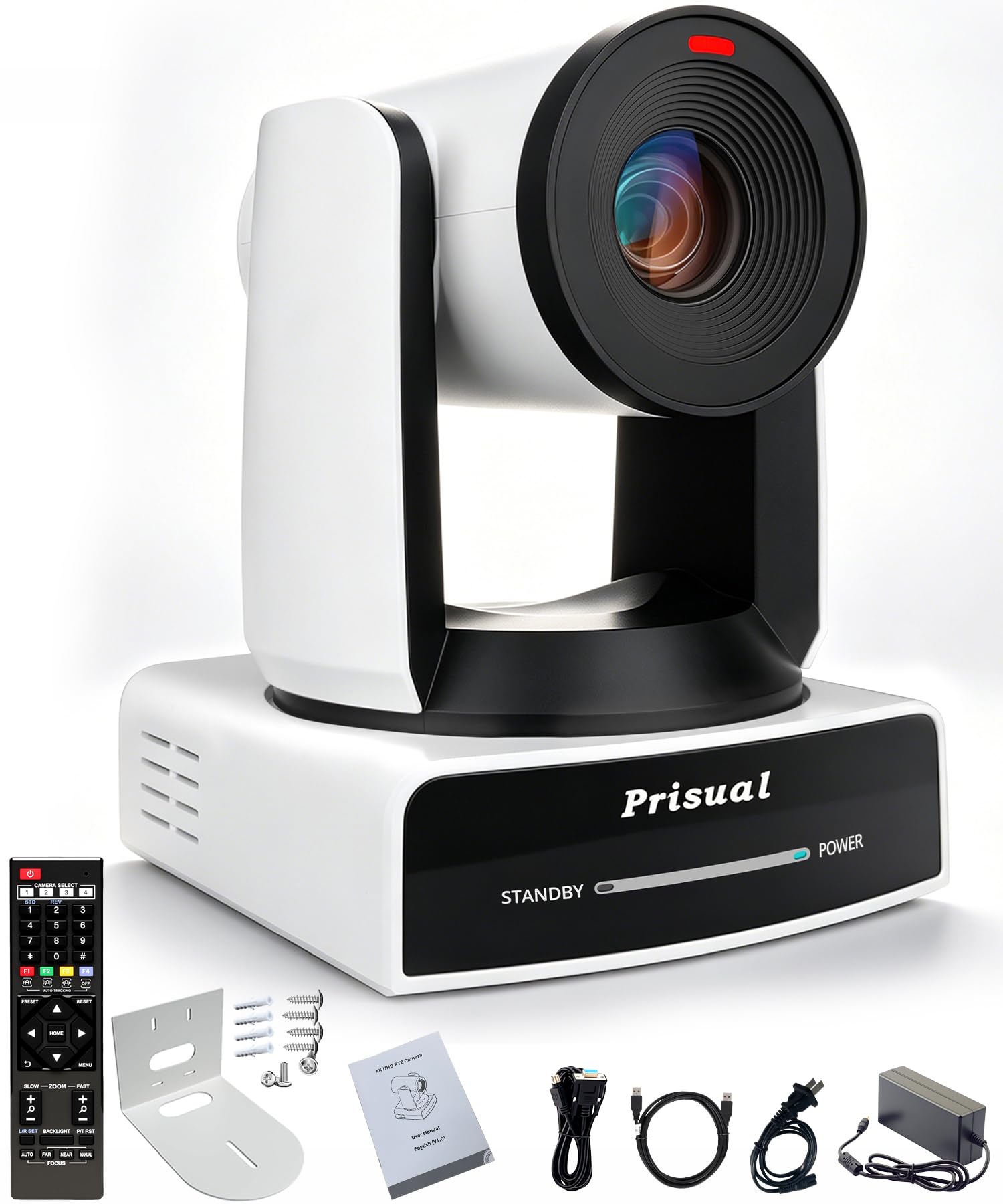
1. Prisual 4K60 NDI HX3 PTZ Camera
Our pick — 4.5+★ from 150+ verified ratings; the strongest balance of quality and price.
A broadcast-grade tracker built for gymnasiums where the action is a hundred feet from the camera.
Here is the number that decides it: 30x optical zoom. That is real lens travel, not digital cropping, so a player at the far end of the court fills the frame with detail intact rather than turning to mush. The 4K 60fps sensor pairing means fast breaks and quick footwork stay smooth instead of smearing — 60fps is the frame rate at which motion stops looking like a slideshow. And because it runs NDI HX3 (a video-over-network standard that carries the feed down a single Ethernet cable), you can place it far from your mixer without running a rack of cables.
Tracking leans on Presenter and Zone modes. You pick an area, the camera locks onto a subject inside it, and you choose Full, Upper, Close, or a custom framing preset. On a large stage or a sideline that never changes, that means the camera keeps working when you are coaching. The metal housing and synchronous belt drive — a toothed belt that moves the head quietly and precisely — matter for a rig mounted overhead that no one wants to service often.
The trade-off is the network layer. Buyers report the NDI feed freezes around the 20-minute mark unless a separate paid lifetime NDI license is added from Prisual, so budget for that if NDI is the plan. Power over Ethernet (PoE+) delivers power and data through one cable, which is a genuine install convenience once the license question is settled.
Where it wins
- 30x optical zoom keeps far-side action sharp
- PoE+ sends power and data down one cable
- Metal housing built for permanent installs
- Silent, smooth PTZ movement
Where it asks more of you
- NDI streaming needs a separate paid license to avoid an interruption
- Setup assumes some network and switcher knowledge
Reach for this if: you run a fixed venue install — a gym, auditorium, or worship space — and want zoom reach plus a wired network feed.
Think twice if: you want a plug-and-go sideline camera with no network configuration; the NDI license requirement is the one thing that bites new owners.
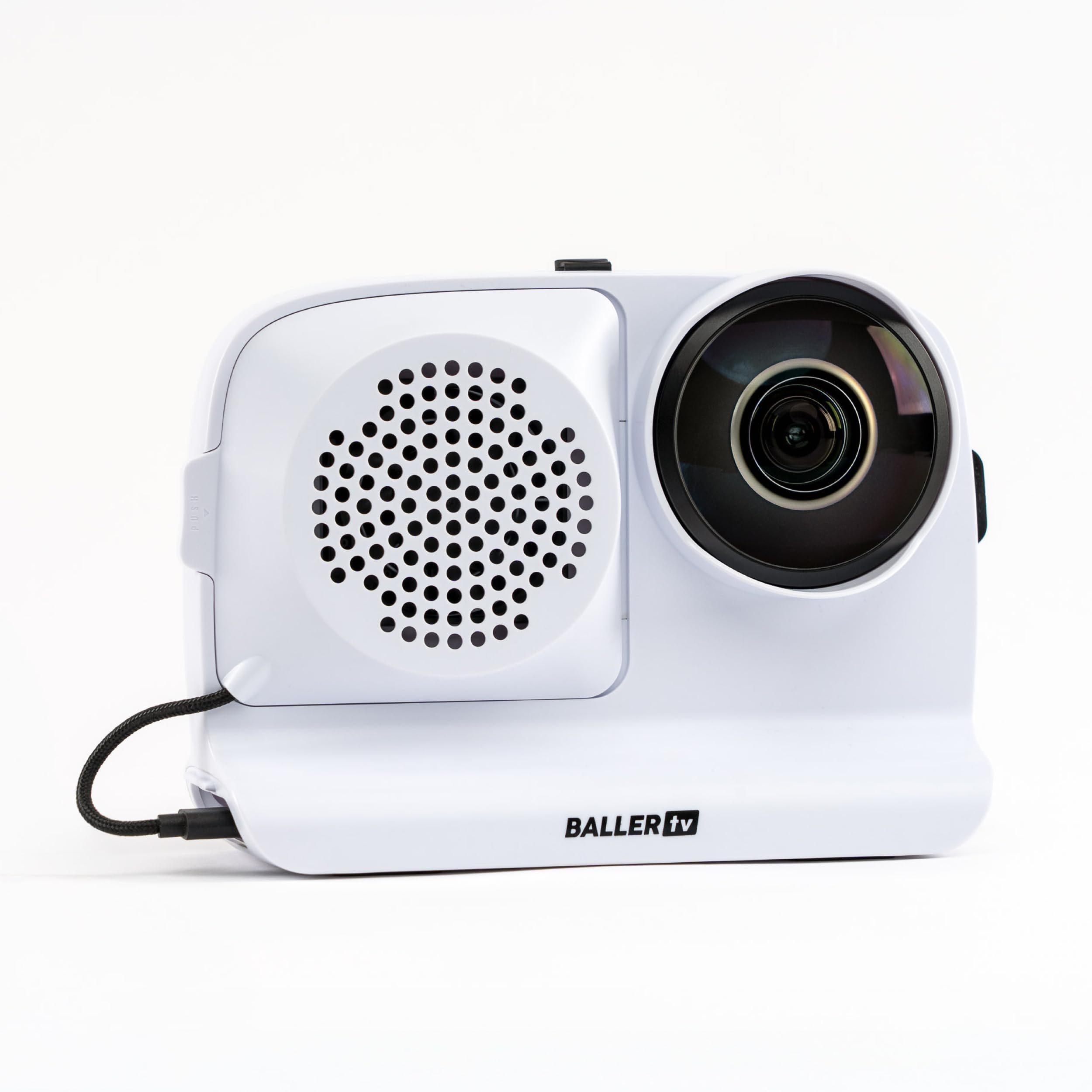
2. BallerCam AI Auto-Tracking Sports Filming System
The system for a sports parent who would rather watch the game than pan a phone through it.
BallerCam does something the rotating rigs do not: it never moves. A 180° ultra-wide lens sees the whole court or field, and the sports-tracking AI decides which part of that frame to keep centered. That design removes the mechanical pan error that plagues motorized gimbals on a fast break — there is no head to lag behind the ball. It works with basketball, soccer, futsal, flag football, and volleyball, and it runs off your iPhone on a tripod.
What wins people over is the picture quality for the price. The recurring theme across buyers is that the footage looks cleaner than the bigger proprietary systems, and a 10,000 mAh battery pack (10,000 milliamp-hours — enough for multiple games without a wall outlet) keeps it alive through a tournament day. Live streaming is the standout extra: press go in the app, send a watch link, and grandparents who are not at the game can watch it in real time. Clips download to your camera roll for quick sharing, and there is no subscription — the base plan includes 20 hours of cloud storage.
The honest catch sits in two spots. The AI tracking is the most-discussed topic among buyers and it reads as mixed — steady on most plays but imperfect on fast, unpredictable motion, and one owner could not get a water polo test to track at all. The second catch is practical: you supply the phone and the tripod, and footage quality follows your phone’s camera, so a newer iPhone makes a real difference in a dim gym. Return shipping is also a genuine cost — one buyer flagged a UPS charge when sending a defective unit back, with the tripod returning free.
Why it takes the runner-up slot: the whole-field lens approach is easier to trust than a moving gimbal, and the free streaming and storage make it the most family-friendly system here.
Tracking limit: tracking hits its ceiling on chaotic, fast-action sports — if your game is constant direction changes, expect to lose a few plays.
Suits you best when: you film one team’s games, want to share watch links instantly, and dislike recurring fees.
skip it if: your sport is high-speed and erratic, or you want the camera to handle return shipping cheaply when something goes wrong.
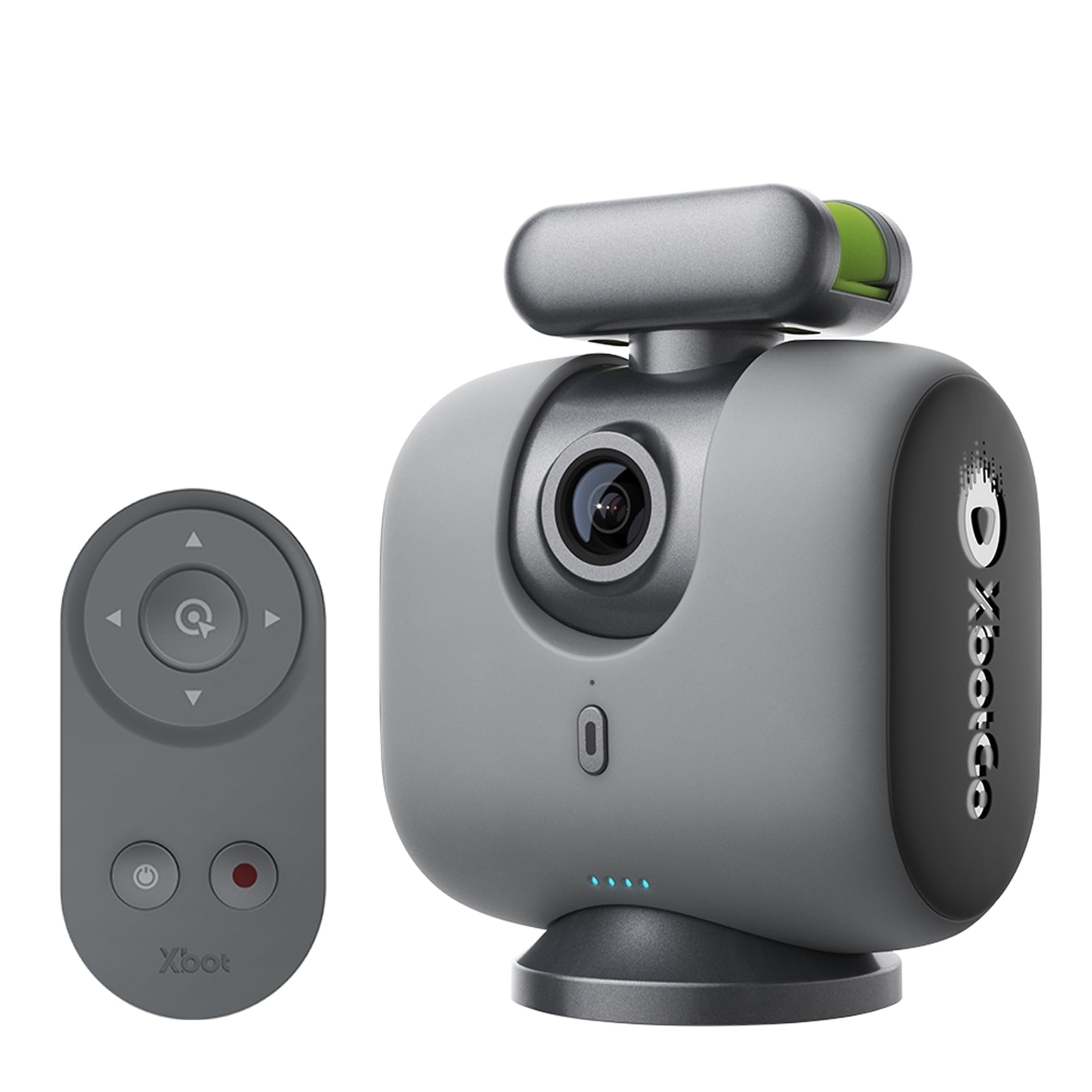
3. XbotGo Chameleon AI Auto Sports Action Camera, 4K 60FPS
A rotating base that follows the game so a coach can keep both eyes on the players.
Picture a coach running a full day of AAU basketball without a single charging break. The Chameleon’s 8-hour battery is the spec that makes that real, and the 360° rotating base with ±15° vertical tilt (the head’s range of motion up and down) keeps play centered frame after frame. It records 4K at 60FPS through your own phone camera while the tracking brain handles the aiming, and it works with both iOS and Android.
On the money side, there is no subscription. The XbotGo App bundles live streaming, highlight editing, and 20GB of cloud storage at no extra cost, so a club coach can edit a highlight reel in the app and push it out without a monthly plan. Streaming supports real-time score overlays, and you can drive the camera view straight from your phone. Owners say it stands up well against the pricier DJI-style gimbals specifically for sports streaming, and the app lets you set tracking per sport — following the ball rather than a single person.
Where it pushes back is the setup curve. Tracking favors the ball, not individuals, which suits team play but takes a few sessions to dial in, and the machine has off days on fast, direction-changing plays. A 3.5+ star rating across a large pool of buyers says most find it worth the effort; the recurring gripes are jerky panning during sudden shifts and a scoreboard that needs a second device to run. Choose this if you are comfortable learning the app; it rewards that patience with hands-free coverage.
What earns its keep
- 8-hour battery covers a full tournament day
- No subscription — streaming and 20GB cloud included
- 360° rotation with ±15° tilt tracks the field
- App lets you tune tracking per sport
What could frustrate you
- Real learning curve before tracking feels automatic
- Scoreboard overlay needs a second device
Best for: coaches and clubs who want pro-looking automated coverage with zero monthly fees and a battery that outlasts the game.
Not the one for: anyone expecting set-and-forget from game one — it wants a few practice sessions first.
4. XbotGo Chameleon AI Sports Action Camera System
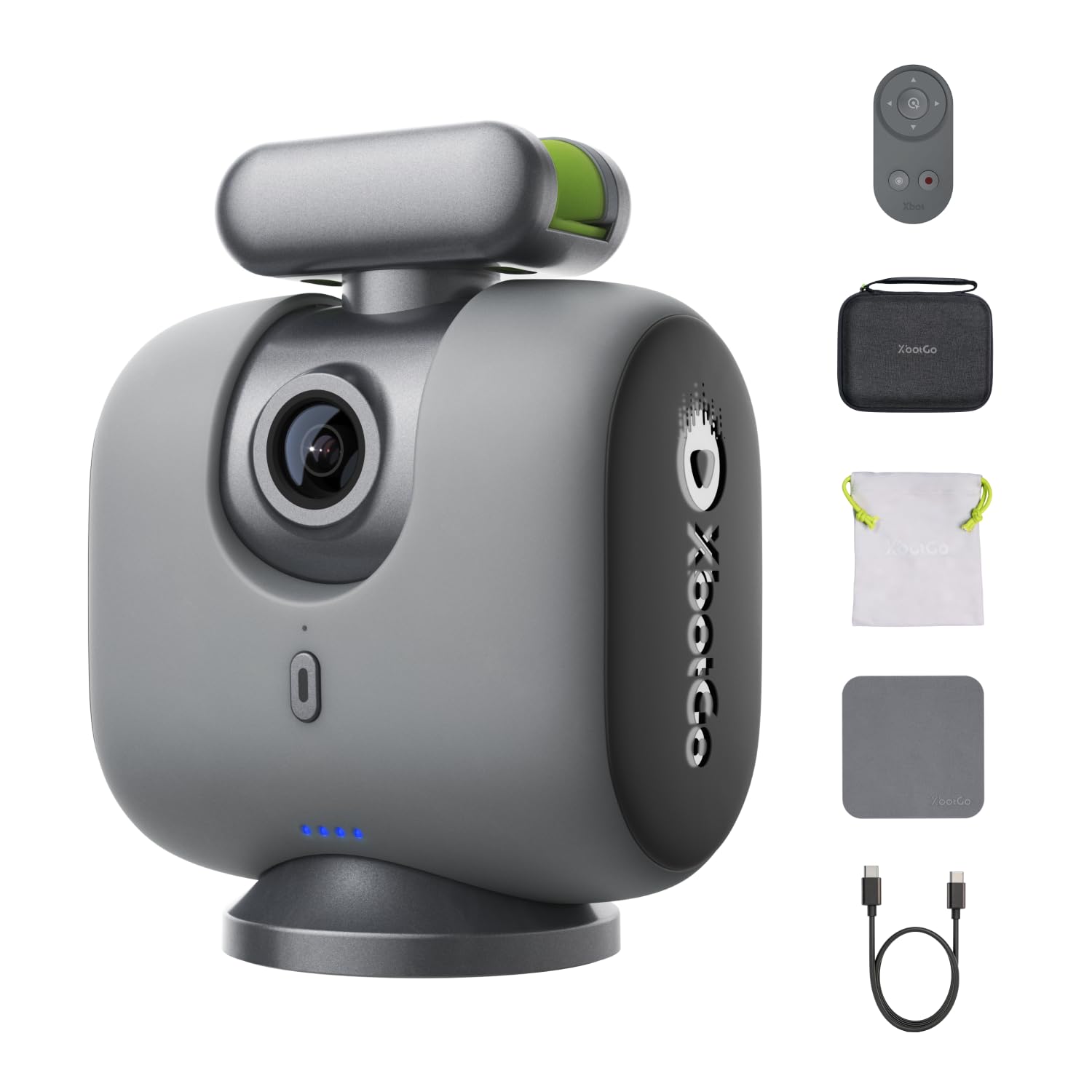
The same tracking gimbal as the Chameleon above, boxed with the official case for travel and game days.
If you already like the Chameleon’s 4K 60FPS recording and AI-powered tracking, this bundle answers the storage question up front. It ships with the official Chameleon Carry Case, so the system and its accessories have a home between practices and away games. The core behaves the same: it follows team play so you can coach, cheer, or play, and it works with supported iPhone and Android phones. The 2.8 maximum aperture (a wider opening that lets in more light) helps in indoor gyms where light is thin.
Reality check on the field, though — this is the same software engine, and buyers are candid that it works best on basketball in a well-lit, well-positioned setup. Tracking sharpens after about five games of practice, and mounting about 10 feet off the ground a few rows back is where it performs cleanest. One owner described drag-panning the monitor by hand as fast and excellent, which is a useful fallback when the auto-tracking stalls on a scramble.
A few buyers wrestle with the app — account setup and zoom range draw complaints, and the AI-suggested editing is awkward to remove once it kicks in. Treat this as a tool that rewards a committed operator rather than a fire-and-forget box. The 0.9 kg (about two pounds) body travels fine, and the included case makes hauling it to and from the venue far less annoying than loose gear.
Why the bundle: if you were choosing between the two Chameleons anyway, the included case justifies the step up for anyone hauling the rig to away games.
Manage expectations: this tracks basketball well in good conditions but is not a professional-grade replacement — plan to practice, and keep manual panning in your back pocket.
Pick it when: you want the Chameleon system plus protected transport in one box, and your main sport is basketball indoors.
Pass if: you mainly film soccer on a large field or want zero app fiddling — those buyers are better served elsewhere in this list.
5. Tenveo 4K 60FPS NDI PTZ Camera
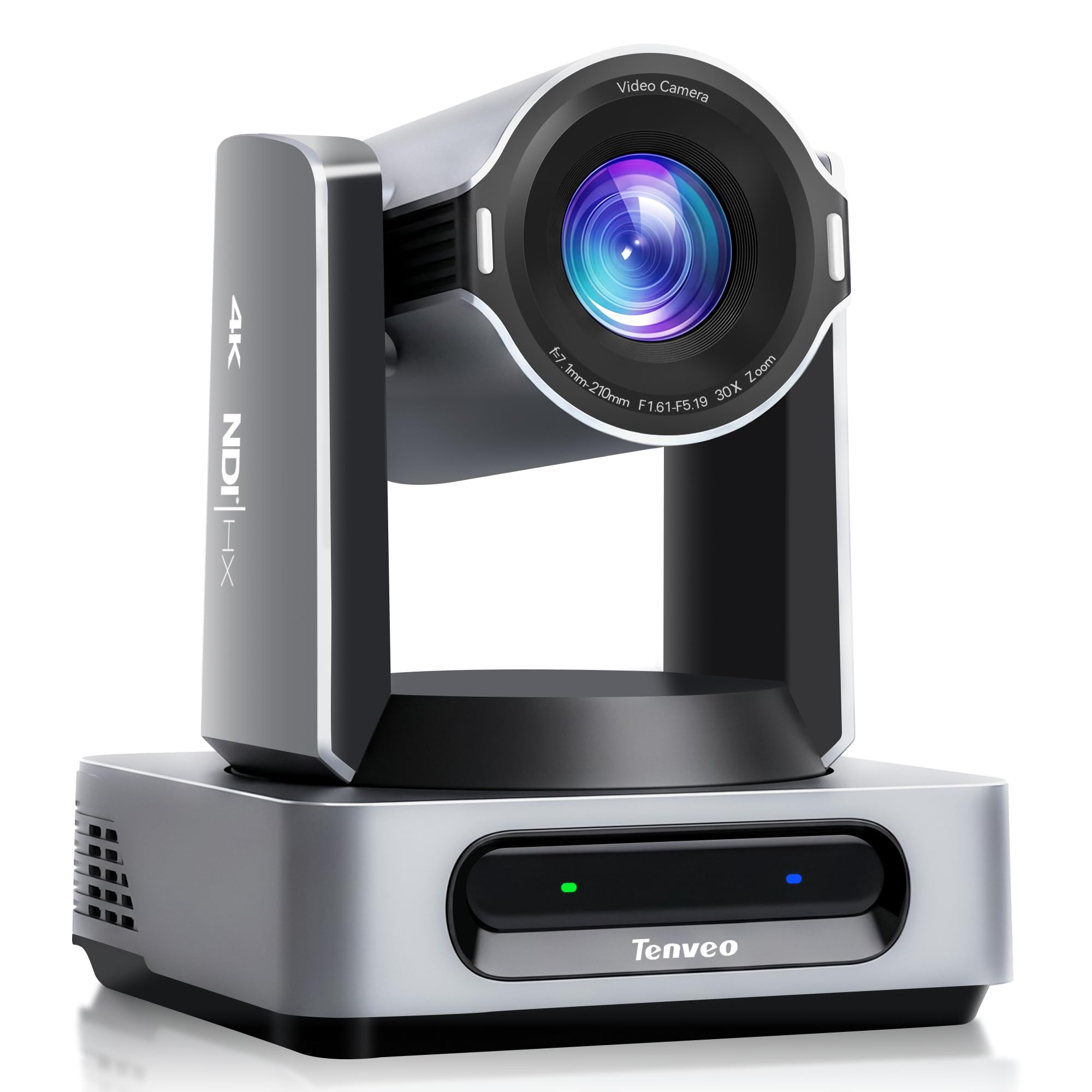
A production-grade tracker with four video outputs and tracking zones you can program by hand.
The headline here is AI Tracking 3.0, and it is the most configurable tracking in this group. You set a start position, a character position, target size, a humanoid boundary, and tracking hints — meaning you can tell the camera exactly where an athlete should sit in the frame. Presenter Tracking follows a moving coach, Auto Framing keeps composition tidy, and Zone Tracking watches up to 4 programmable areas at once. That last feature is what makes it a fit for a gym where action crosses from court to sideline.
Outputs are where it separates from the phone-based rigs: 3G-SDI, HDMI, USB 3.0, and LAN/NDI, all at once. The camera streams 4K at 60fps over HDMI and NDI, 4K at 30fps through USB 3.0, and broadcast-ready 1080p at 60fps out the 3G-SDI port — so you can feed a switcher, a recording deck, and a stream at the same time. A built-in Tally light tells on-air talent which camera is live, which matters the moment you run more than one. Pan covers 350° and tilt 180°, saving up to 255 presets for instant scene changes.
The build is dense, and that is the honest note: this is a heavy, permanently-mounted camera sized 7.9 by 7.2 by 8.7 inches and weighing 5.3lb, so it is not a throw-in-a-bag sideline unit. Setup asks for network competency, and the IR remote has a short range. There is no built-in microphone, so pair it with audio gear. For a fixed multi-camera installation, none of that is a drawback — it is just the cost of the flexibility you are buying.
Why production teams like it
- Four simultaneous outputs (3G-SDI, HDMI, USB 3.0, LAN/NDI)
- AI Tracking 3.0 with up to 4 programmable zones
- Built-in Tally light for multi-camera work
- 255 presets for instant scene switching
The honest trade-offs
- Heavy and permanently-mounted, not portable
- No built-in microphone
- IR remote has limited range
Built for: a sports broadcast or worship rig running multiple cameras into a switcher, where flexible tracking zones and separate outputs are the whole point.
Not the fit for: a solo parent wanting to clamp a camera to a fence and go — the size and network setup are overkill there.
6. OBSBOT Tail 2 PTZR NDI Camera, 4K@60FPS, Pro AI Tracking
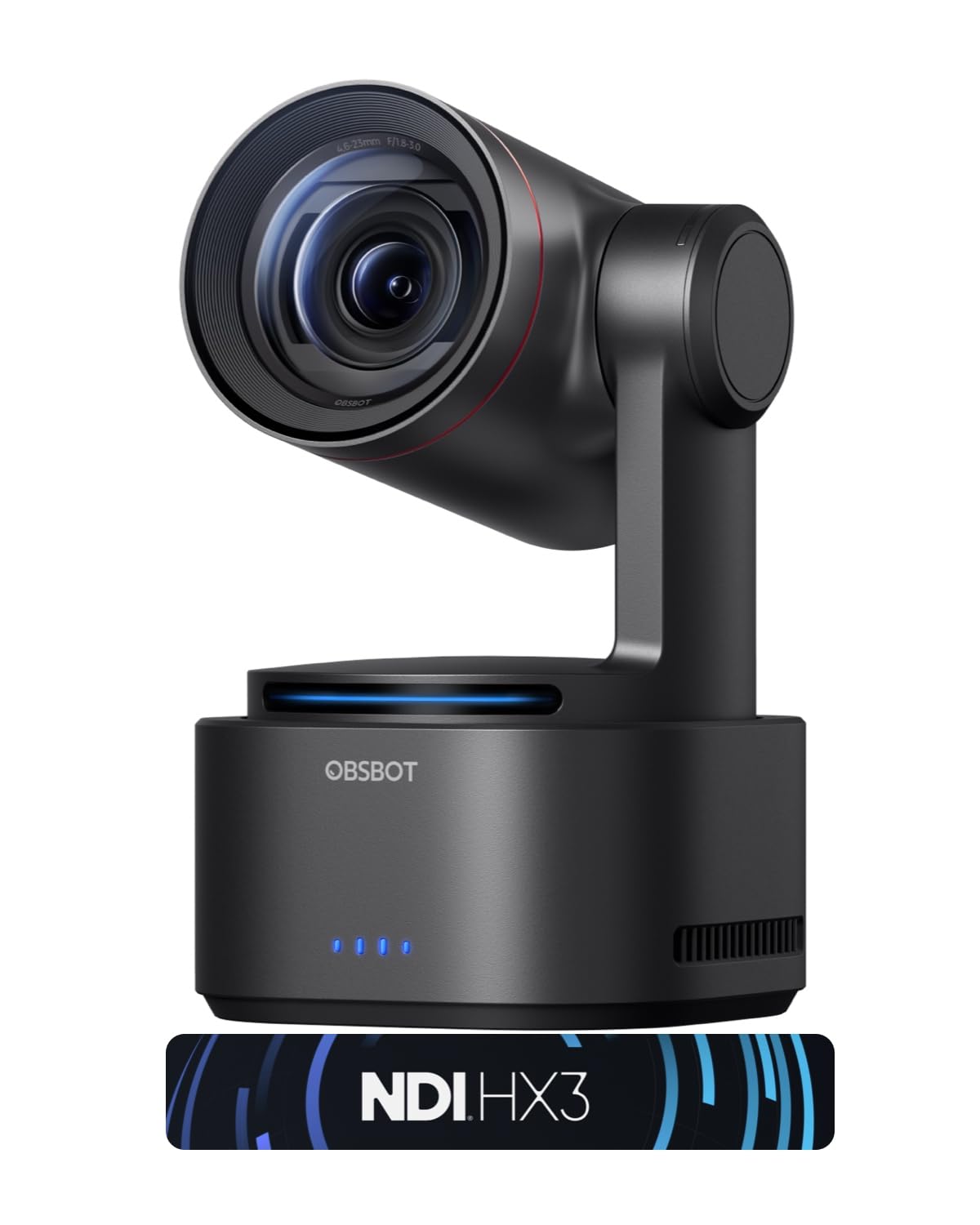
A tracking camera that flips from landscape to vertical with one button — rare for sideline capture.
The PTZR design is the defining trick. The lens structure rotates 90°, so a single button swaps you between horizontal game footage and vertical clips for social media without remounting. That rotation also sets up the anti-shake claim: OBSBOT rates stabilization down to ±0.003°, an extremely small movement tolerance, backed by an auto-leveling system that keeps footage level even if the mount is not perfectly set. For a solo creator filming a game and cutting highlights the same day, that flexibility is the reason to pick it.
Under the hood, a 1/1.5-inch CMOS sensor captures 50MP stills and delivers 4K at 60FPS streaming plus 1080P at 120FPS slow motion. The 12-layer optics system with three aspherical elements gives 5x lossless optical zoom and 12x hybrid zoom for reaching across a field. AI Tracking 2.0 adds Group Tracking — the camera can hold several people in frame instead of locking one — plus an “Only Me” mode for a single subject, and it can lock onto a human, an animal, or an object with a double-click.
Dependability is the honest reservation. The reviews are thin at this point, and the recurring concern is reliability over long sessions rather than image quality, which buyers consistently rate well. Connections cover HDMI, SDI, USB-C, and Ethernet with SRT, RTMP, NDI, VISCA, and Free-D protocols, so it slots into a real production pipeline. If you shoot both orientations or stream to social while recording, the versatility is hard to match; if you need proven ironclad uptime on a fixed install, the other PTZ options here are more battle-tested.
Standout feature: one-button vertical shooting plus Group Tracking makes it uniquely suited to creators who publish clips, not just record them.
What to weigh: with a small review base and reliability the open question, treat this as a strong creative tool rather than a boring-but-bulletproof install camera.
Made for: content creators and solo streamers who want cinematic tracking, slow-motion capture, and instant vertical framing from one camera.
Look elsewhere if: your priority is decades-proven uptime on a permanent multi-camera rig — that audience is better served by the PTZOptics picks.
7. PTZOptics Move SE 30x 1080p Full HD PTZ Auto-Tracking Camera
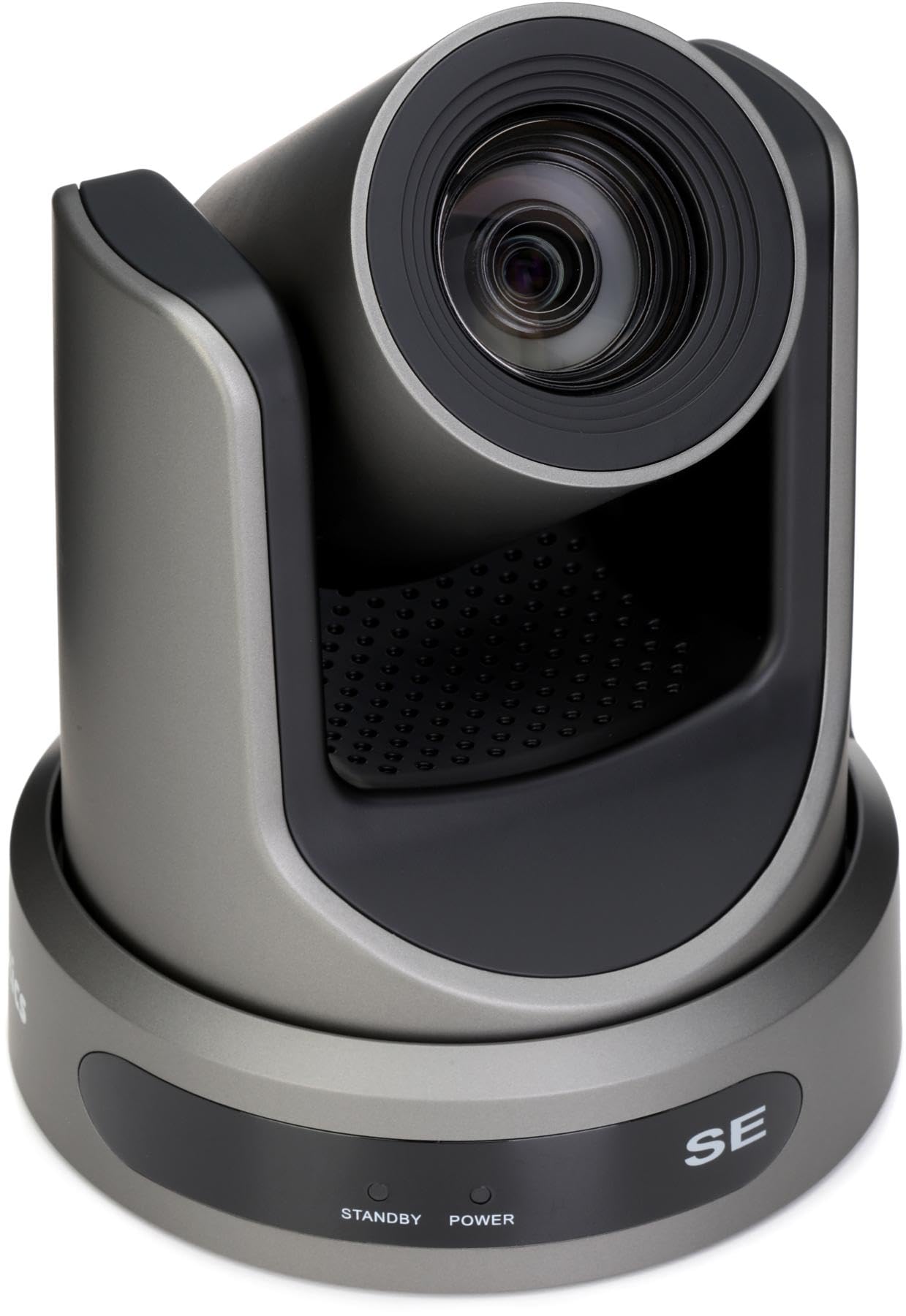
A workhorse event camera that drops the 4K badge to keep a 30x optical zoom and a lower price.
Where the Tenveo and Prisual chase 4K, the Move SE makes a deliberate call: 1080p at 60fps is enough for most live streams, and spending the budget on zoom and reliability instead of resolution is a defensible trade. It packs 30x optical zoom, HDMI, SDI, USB, and IP outputs, and NDI|HX upgradeability into one body, with CMOS image sensors (the light-capturing chips) tuned for low-light church and event spaces where the lights are not bright.
It also lives inside an ecosystem. Buyers who already run a PTZOptics controller report the camera integrates cleanly, and the tracking, colors, and connection process draw praise from owners upgrading within the same brand line. For a church live stream feeding an ATEM switcher, this is a common and happy pairing. The camera performs at 1080p and handles regular and dimmer lighting without drama — the close-ups stay clear when you need them.
Two things to size before purchase. First, tracking is not this camera’s strongest suit — the auto-tracking draws a clear mixed note, and one buyer found it did not work well for their use. Second, the ratings pool here is small, so the confidence comes partly from the brand’s reputation for event cameras rather than a huge wall of reviews. Buy it for the zoom range, the clean 1080p image, and the output flexibility — not as an AI-tracking specialist.
Value: if 1080p meets your streaming target, this delivers big zoom reach and multi-output flexibility for less than the 4K tier demands.
The caveat to know: treat the auto-tracking as a bonus, not the headline — the zoom and image quality are the real reasons this earns a spot.
Ideal for: churches and event producers who already run a switcher, want strong optical zoom, and are fine streaming in 1080p.
Reconsider if: automatic subject tracking is your number-one need — this camera leads on zoom and image, not on tracking intelligence.
8. Veo Cam 3 5G 1080p Sports Camera AI Auto-Tracking
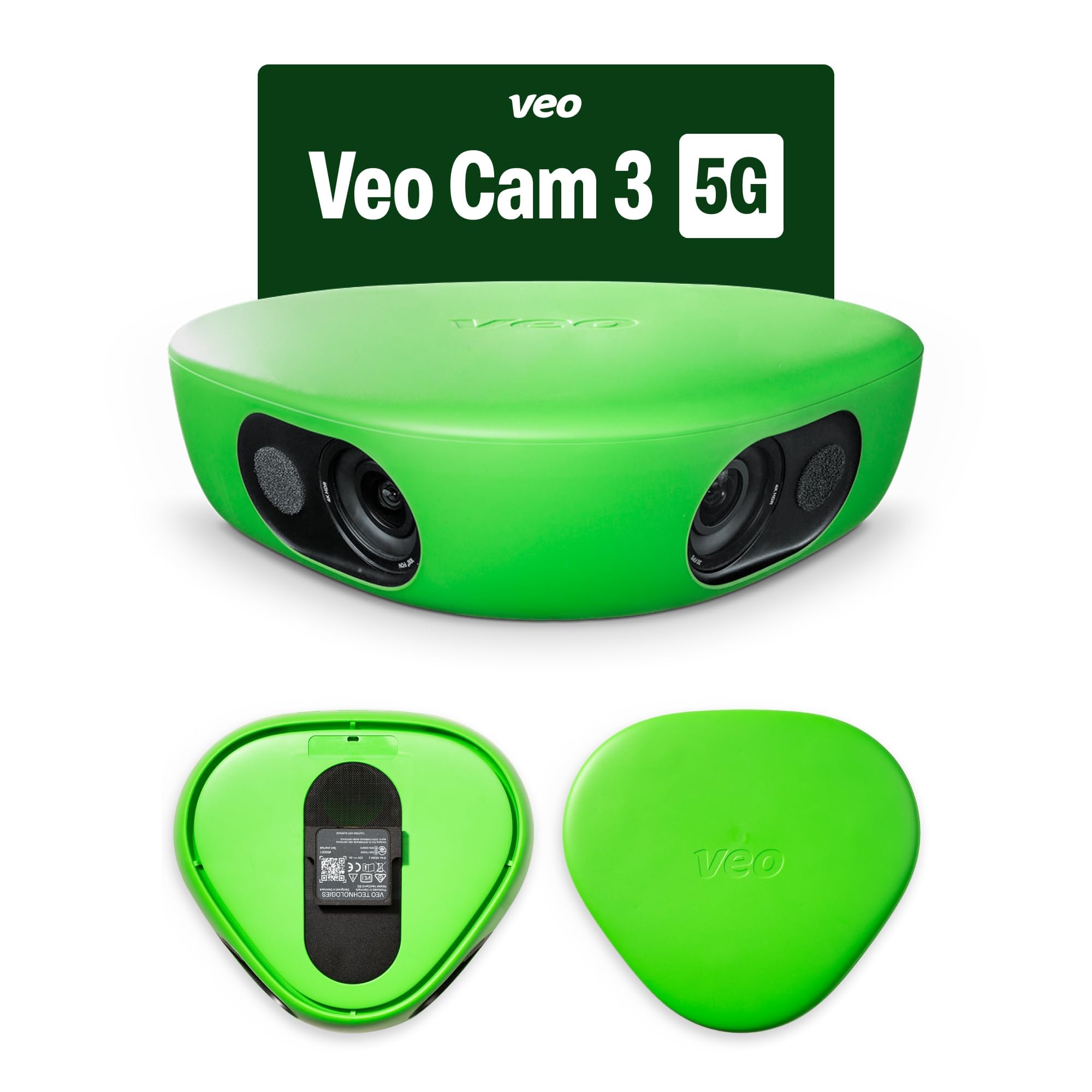
The subscription-based team camera that records any major sport in almost any weather.
Veo plays a different game than the rest of this list: it is built for whole-team game capture across football, basketball, rugby, lacrosse, American football, volleyball, and more, at 1080HD. It is designed to travel light and set up fast, and the weather specs are unusually broad — it works from -10° C to 45° C (14° F to 113° F in US terms) and is weather-proof in rain and snow. For a coach who films outdoor games in a cold-weather season, that range is a real capability rather than a spec-sheet line.
The recurring theme from buyers, though, is the subscription. Unlike the no-subscription systems here, the Veo Cam 3 requires a plan to actually use, and the reviews are blunt that it is a pricey one with auto-renewal that some owners find hard to switch off. Supporting countries are also restricted to a long but specific published list, and plans are only purchasable and usable inside those countries — so check yours before buying. Where it lands well is ease: owners describe setup and recording as simple, and for a well-funded club the whole-team capture is worth the ongoing cost.
The 3.0+ star rating reflects that split honestly. Buyers who value the automated full-game footage rate it as a strong investment; buyers who did not expect the subscription cost and the auto-renewal friction rate it poorly. If your club already budgets for a season plan, the camera does its job. If you want a one-time purchase with no ongoing access cost, this is not that system.
What buyers praise: easy setup and true all-weather, all-sport capture that a club can run every week without an operator.
The catch to plan around: the required subscription and its auto-renewal terms are the number-one friction point — factor the plan into your season budget before you buy.
Best suited to: organized youth and school programs that will use a season plan and want dependable all-weather whole-team capture.
Wrong pick if: you want to own the camera outright with no recurring fee — choose a no-subscription system instead.
9. PTZOptics Move 4K 30x Auto-Tracking PTZ Camera (Gray)
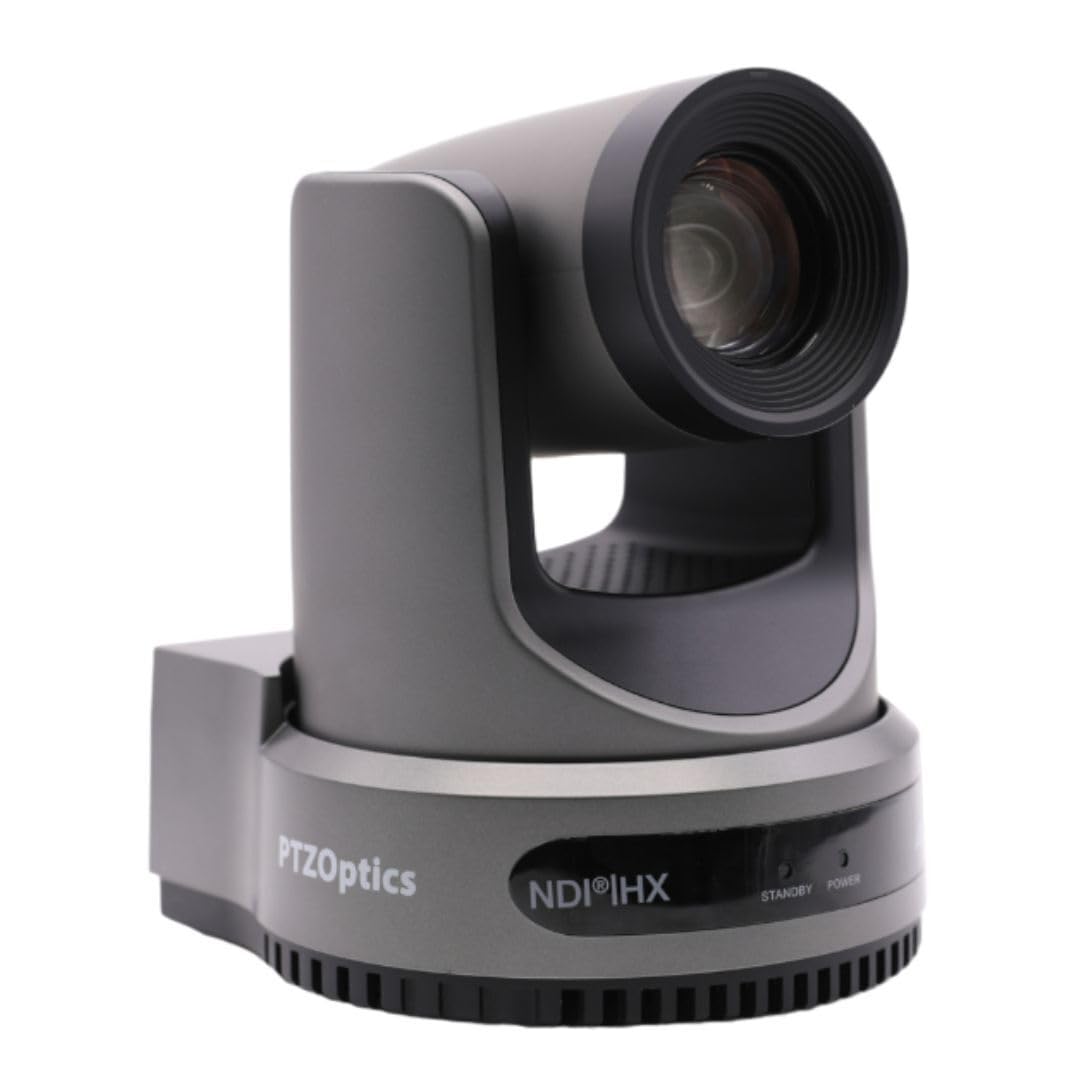
The top-tier PTZ here, with a Sony sensor feeding 4K 60FPS and every control route you could want.
This is the image-quality flagship of the group. A next-generation Sony UHD CMOS sensor (the chip that turns light into pixels) captures 4K at 60 FPS with adjustable resolutions, and 30x zoom reaches across a full court or auditorium. It offers both auto-tracking and auto-framing — two different jobs: one follows a subject, the other keeps composition balanced as the scene shifts. Simultaneous outputs run over NDI, USB, and IP plus either SDI or HDMI, and a built-in Tally light signals when the camera is live versus in preview.
Control is where it flexes — IR remote, network, RS-232, RS-485, Web UI, a PTZ control app, a USB port, and a management platform all drive it. For a multi-camera studio that already runs PTZOptics gear, that range means the camera fits existing workflows rather than forcing new ones. The 30x zoom paired with the Sony sensor is the combination that earns the pick in good lighting, where the picture reads clean and detailed.
Reliability is the honest watch-item. Some owners mention the camera forgetting presets between sessions and auto-tracking failing in practice, and the software and web interface draw criticism even as the lens, zoom, and image draw praise. The ratings pool is also small, so the confidence here rides on the hardware pedigree more than volume. Buy it as an image-focused studio camera and verify the tracking against your workflow during the return window — that covers you either way.
Why it wins: when image quality and control flexibility are essential and you run a fixed studio, the Sony-sensor 4K package is the strongest picture quality in this lineup.
Do this on arrival: test tracking and preset recall against your workflow early, since those are the two areas owners flag, so the return window stays open as your safety net.
Choose it if: you run a professional multi-camera studio and want the best 4K image with the widest range of control options.
Think again if: you rely heavily on rock-solid auto-tracking from the start — verify it first, because that is the one area that needs checking.
Know the Specs
Tracking method: gimbal versus full-field lens
A tracking gimbal physically rotates its head to follow the ball or a player, which works well on a small court and falls short on sudden, erratic changes of direction. A full-field lens takes the opposite route — it never moves, sees the whole field, and crops digitally to keep play centered, so there is no mechanical lag to fight. Choose a gimbal for controlled indoor sports and a wide-lens system for chaotic or wide-area play. Some PTZ cameras offer both a moving head and configurable tracking zones, letting you define exactly where an athlete should sit in frame.
Resolution and frame rate: why 60FPS matters
Resolution (4K or 1080p) sets how much detail the image holds, while frame rate sets how smoothly fast action moves. A camera recording at 60fps captures more frames per second, so a sprint or a jump stays fluid instead of jumping between positions. For sports, frame rate often matters more than resolution — 1080p at 60fps can read better than 4K at a lower rate when play is fast. Look for a camera that does both well if your output targets support 4K, and a big CMOS sensor so indoor gyms stay clear in dim light.
Common Questions
Do all AI tracking cameras for sports require a subscription?
Will an AI tracking camera follow the ball or a specific player?
How high should I mount a tracking camera for the best results?
Can a tracking camera work indoors in a dim gym?
What is the difference between optical zoom and digital zoom on a sports camera?
Can I livestream a game directly from a tracking camera?
Does a tracking camera record highlights automatically?
Are tracking cameras weather-proof for outdoor sports?
How many hours does a tracking camera battery last during a game day?
Do I need a second phone or device to run a tracking camera?
The Bottom Line
For most buyers building a fixed venue install, the ai tracking cameras for sports winner is the Prisual TEM-4K30N PRO because its 30x optical zoom, 4K 60fps sensor, and single-cable PoE+ deployment put broadcast reach within a network run — just factor in the separate NDI license if you stream over IP. If you want hands-free footage with no subscription and a battery that lasts the whole tournament, grab the XbotGo Chameleon. And for a parent who wants to share watch links and skip the recurring fees entirely, the BallerCam system is the one to reach for. Match the tracking method to your sport first: a rotating gimbal suits controlled indoor courts, while a fixed wide lens handles chaotic, wide-area play.
How we choose
We do not accept paid placement. Every pick is matched to a real buyer and a real use-case; we do not hands-on test units.
Sources
Specifications: manufacturer listings and product documentation. Review insights: verified customer reviews, as of October 2026. Pricing: not shown on this page (it changes often); check the current price via the retailer link.
As an Amazon Associate, Home Digitized earns from qualifying purchases. This does not affect which products we feature.