
Specs are compiled from manufacturer listings and verified buyer reviews and can change over time — please confirm the key details on the product page before buying.
Flexible filament is how you get phone cases that bend, gaskets that seal, and cosplay armor that flexes instead of cracking — but it is also the fastest way to turn a printer into a spaghetti machine. A soft TPU strand pushes out sideways at the extruder instead of straight down, so a printer that lacks a direct drive extruder will jam on its first flexible job. The nine machines below were chosen because each one can genuinely feed flexible filament, and this guide tells you plainly which one fits the way you actually print.
This guide is built by comparing the manufacturers’ published specifications and the patterns across verified customer reviews, so you get each pick’s real strengths and trade-offs instead of marketing spin.
Some picks here run on a single flexible-friendly toolhead, while dual- and four-toolhead machines switch materials on their own. Below, the top performers pair soft-filament support with the speed, build volume, and calibration real projects demand — and the crowd favorite leads the list. My walkthrough covers the 3D Printers for Flexible Filament that hold up once a soft spool is actually loaded.
Top Picks


How To Choose The Best 3D Printers for Flexible Filament
Buying a printer for soft filament is a different shopping trip than buying a general-purpose one. The spec that decides it all is the extruder — the motor-and-gear assembly that grabs the filament and pushes it toward the nozzle — and how it is mounted. Everything else is a bonus on top of that.
Extruder type is the whole ballgame
A direct drive extruder sits a short distance from the nozzle, so the soft filament only has a short path to travel. That short travel is what keeps TPU from buckling sideways and clogging. A Bowden setup pushes filament through a long tube, and soft filament typically kinks inside that tube. Every machine on this list uses a direct drive design or an explicitly flexible-compatible tool system.
The gear ratio tells you how gently it feeds
Look for the reduction ratio — the number that says how many motor turns it takes to push one unit of filament. The ELEGOO Neptune 3 Pro, for example, uses a dual-gear direct drive extruder with a 3:1 gear ratio, which means the motor takes three turns to deliver what the gears push out. That gearing slows the feed just enough to stop soft filament from overshooting the nozzle.
Bed leveling points and your first layer
Soft filament is forgiving of many things, but not of a bad first layer. Machines that probe the bed at many points — 36 points on the Neptune 3 Pro, 49 points on the Anycubic Kobra S1 Max Combo — build a height map of the platform and adjust as they print. More probe points generally mean a more consistent first layer on a slightly warped bed.
Build volume, speed, and chamber temperature
A bigger build volume means fewer parts glued together, which matters for cosplay armor and one-piece prototypes. Speed and acceleration figures tell you how fast the machine can move without losing detail. A heated chamber — the enclosed space around the print — keeps warp-prone materials stable, and the Kobra S1 Max Combo runs its chamber at 65°C.
Side-by-Side Comparison
| Model | Best For | Extruder Type | Build Volume | Max Speed | Amazon |
|---|---|---|---|---|---|
| Snapmaker U1★ Best Overall | Multi-color and multi-material work | Four independent direct drive toolheads | 270 × 270 × 270 mm | 500 mm/s | Amazon |
| Creality Ender 3 V3 SEBudget Starter | First-time buyers on a tight budget | Sprite Direct Drive Extruder | Not stated | 250 mm/s | Amazon |
| ELEGOO Neptune 3 ProReliability Pick | Reliable everyday printing | Dual-gear direct drive, 3:1 ratio | 225 × 225 × 280 mm | Not stated | Amazon |
| Flashforge AD5M | Fast single-material prototyping | High-temp direct drive, 280°C | 220 × 220 × 220 mm | 600 mm/s | Amazon |
| Flashforge AD5X | Compact four-color desk setup | Direct drive with IFS | Not stated | 600 mm/s | Amazon |
| Creality K2 Pro Combo | Big multi-color prints in one pass | Quick-swap direct drive, 300°C | 300 × 300 × 300 mm | 600 mm/s | Amazon |
| Anycubic Kobra S1 Max Combo | Industrial-size one-piece parts | Direct drive, 350°C hotend | 350 × 350 × 350 mm | 600 mm/s | Amazon |
| IdeaFormer IR3 V2 | Continuous long-part production | Conveyor belt, Klipper driven | 250 × 250 × ∞ mm | 400 mm/s | Amazon |
| Original Prusa XL | Studios printing soluble supports | Dual toolhead switching | 14.17 × 14.17 × 14.17 in | Not stated | Amazon |
Detailed Reviews
1. Snapmaker U1 3D Printer, 4-Toolhead with 5s Toolchanger
Our pick — 4.5+★ from 150+ verified ratings; the strongest balance of quality and price.
Four toolheads that swap in five seconds — and never once touch your soft filament by hand.
If your flexible-filament printing is really about mixing soft and rigid materials in one job, this is the machine that ends the hand-swapping chore. Four independent toolheads sit preloaded and preheated, so the SnapSwap system changes tools in 5 seconds instead of the roughly 2 minutes a manual change takes. The locking mechanism behind it has been validated through over 1,000,000 swaps with zero failures — the number that matters when a soft TPU strand is waiting on its spool.
Flexible filament is where most printers show their limits, and this one treats it as a normal material. It prints TPU with different Shore hardness ratings — the scale that measures how soft or firm a rubbery filament is — alongside rigid plastics in the same build. Water-soluble supports come out of the equation too, since you can load them in one toolhead and let it dissolve away from fine details.
You get both speed and volume, not just material range. The rigid CoreXY motion system (a frame design that moves the print head in X and Y with two belts) with carbon fiber X-axis rails pushes up to 500 mm/s across a 270 × 270 × 270 mm build volume, which is a full 20% more space than the ELEGOO Neptune 3 Pro offers. Compare that speed with the budget-tier Creality Ender 3 V3 SE and the gap is plain: 500 mm/s against 250 mm/s. Weighing 59 pounds, it is also about 3.0 times the weight of that Ender — a real table-space commitment.
Setup is where the reviews land hardest. The on-screen calibration and setup guide get credit for walking new owners through a guided routine, and the machine typically runs well right from the start. Print time drops noticeably once four toolheads share the work — one commercial user saw a 10-hour job drop to 6-7 hours, called it a “Business standout,” and ran it 30+ hours across two days. Quiet operation is the other theme, along with near-zero purge waste because toolheads swap rather than purge filament.
Where the money goes
- SnapSwap tool changing drops swap time from about 2 minutes to 5 seconds
- Prints rigid and flexible materials together, including TPU at multiple Shore hardness ratings
- 500 mm/s CoreXY speed across a 270 × 270 × 270 mm build volume
- Carbon fiber X-axis rails on a rigid frame keep accuracy at top speed
Worth knowing before you buy
- At 59 pounds, it needs a dedicated bench and real clearance around it
- Slicing workflow has a learning curve — importing an STL into a fresh Orca project works better than opening a 3MF directly
- Some owners describe the PSU fan as a touch loud
- Water-soluble and engineering filaments raise the running cost per print
Reach for this if: you want multicolor and mixed rigid-flexible parts from one machine without ever hand-swapping a spool.
Look elsewhere if: your bench is cramped or you mostly print single-material jobs — the four-toolhead system is a lot of machine for that.
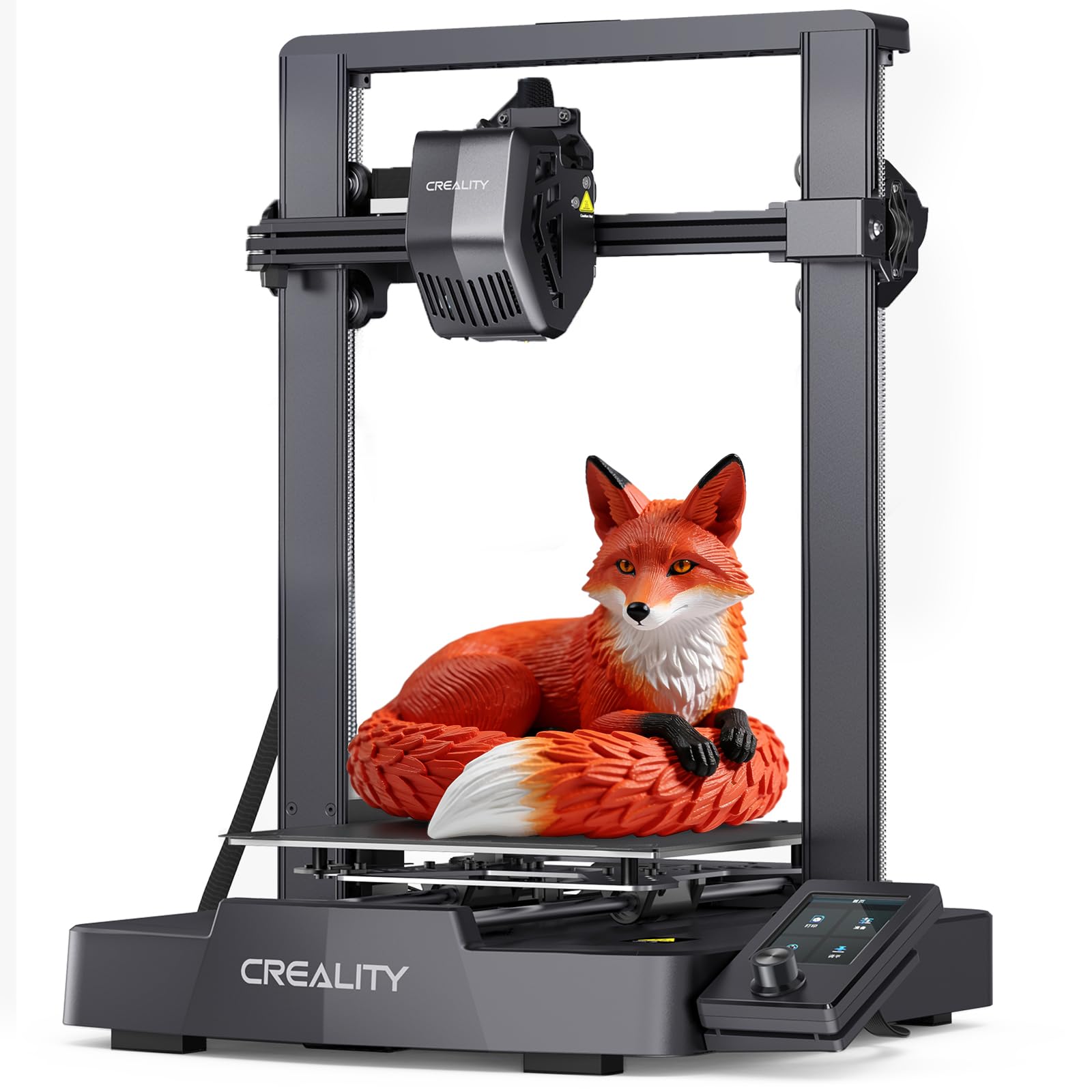
2. Creality Ender 3 V3 SE 3D Printer
The entry-level pick that still feeds TPU properly, thanks to a Sprite direct drive extruder.
Most budget printers make you choose between a low price and flexible-filament capability. This one does not. The Creality Ender 3 V3 SE uses the Sprite Direct Drive Extruder — the assembly that grips and pushes filament right above the nozzle — and the manufacturer lists TPU among the supported materials alongside PLA and PETG. That short feed path is exactly what soft filament needs.
Setup takes just a few steps, and CR Touch Auto Leveling handles the bed height for you. The automatic Z-offset calibration is the part that saves real grief with soft filament, because a first layer that is even slightly too high leaves TPU curling instead of sticking. Dual synchronized Z-axis lead screws and precision Y-axis linear shafts work together to cut down vibration and Z wobble, so tall flexible parts keep their layer alignment.
Speed tops out at 250 mm/s with 2500 mm/s² acceleration — enough for everyday prototypes, and exactly half the 500 mm/s of the Snapmaker U1 above. A 32-bit silent mainboard keeps the noise down, and the flexible PC spring steel build plate lets you pop a finished model off with a quick flex instead of scraping. Weighing 19.8 pounds and occupying about 15 × 19.6 × 15 inches, it fits a modest desk.
The honest read: this is the least expensive way onto this list and it still holds the direct drive hardware flexible filament demands. Owners consistently describe it as easy to learn and a genuinely good first printer, with the assembly instructions getting particular credit.
What you trade away: no enclosure, no multi-material system, and no heated chamber. It prints flexible filament, but it will not print soluble supports or handle warp-prone engineering materials the way the enclosed machines further down this list can.
The short version: a sensible first printer for someone who wants to try TPU without committing to a workshop-sized machine.
Think twice if: you already know you want multicolor or large one-piece armor — those jobs need the bigger builds below.
3. ELEGOO Neptune 3 Pro 3D Printer
A 3:1 geared direct drive extruder built from stainless steel — the gentle feed soft filament wants.
The gear ratio is the number to look at here. ELEGOO fits this printer with a dual-gear direct drive extruder at a 3:1 gear ratio, made from SUS303 stainless steel. That ratio means the motor turns three times to deliver one unit of filament, which slows the push just enough that a soft TPU strand does not overrun the nozzle and blob. The manufacturer lists PLA, TPU, PETG, and ABS as supported materials.
Bed coverage is generous at 36 auto leveling points, and this machine pairs that with a filament runout sensor and a power-loss resume function. If the filament snaps or the power cuts mid-print, the job picks up where it stopped. That matters more than usual with flexible filament, because a long soft-material print is exactly the kind you do not want to restart. The build volume is 225 × 225 × 280 mm, with the 280 mm height being the generous dimension for tall parts.
Quiet running is a stated strength — silent stepper motors and an STM32 motherboard bring noise down to as low as 47dB. Its 23 × 9 × 19 inch footprint is notably longer than the 15 × 19.6 × 15 inch frame of the Ender 3 V3 SE above, so check your shelf depth before ordering. The real-world reputation here is durability over long sessions; owners describe a “Reliable workhorse” that ran 24 hours without issues and completed around 90% of its prints.
What wins people over: it arrives mostly pre-assembled with a full toolkit and is ready to print in minutes, and the print quality and ease of use carry the strongest positive feedback of anything about this machine.
The recurring gripe: auto-leveling splits opinion — plenty of owners call it a blessing, others find it does not work well, so budget time to learn manual Z-offset adjustment as a backup.
Best fit for: someone who wants a dependable daily printer with a geared extruder and does not need multicolor.
The caveat to weigh: the 23-inch depth is the longest footprint on this list, and the bed leveling system is the one thing owners disagree about.
4. FLASHFORGE AD5M 3D Printer
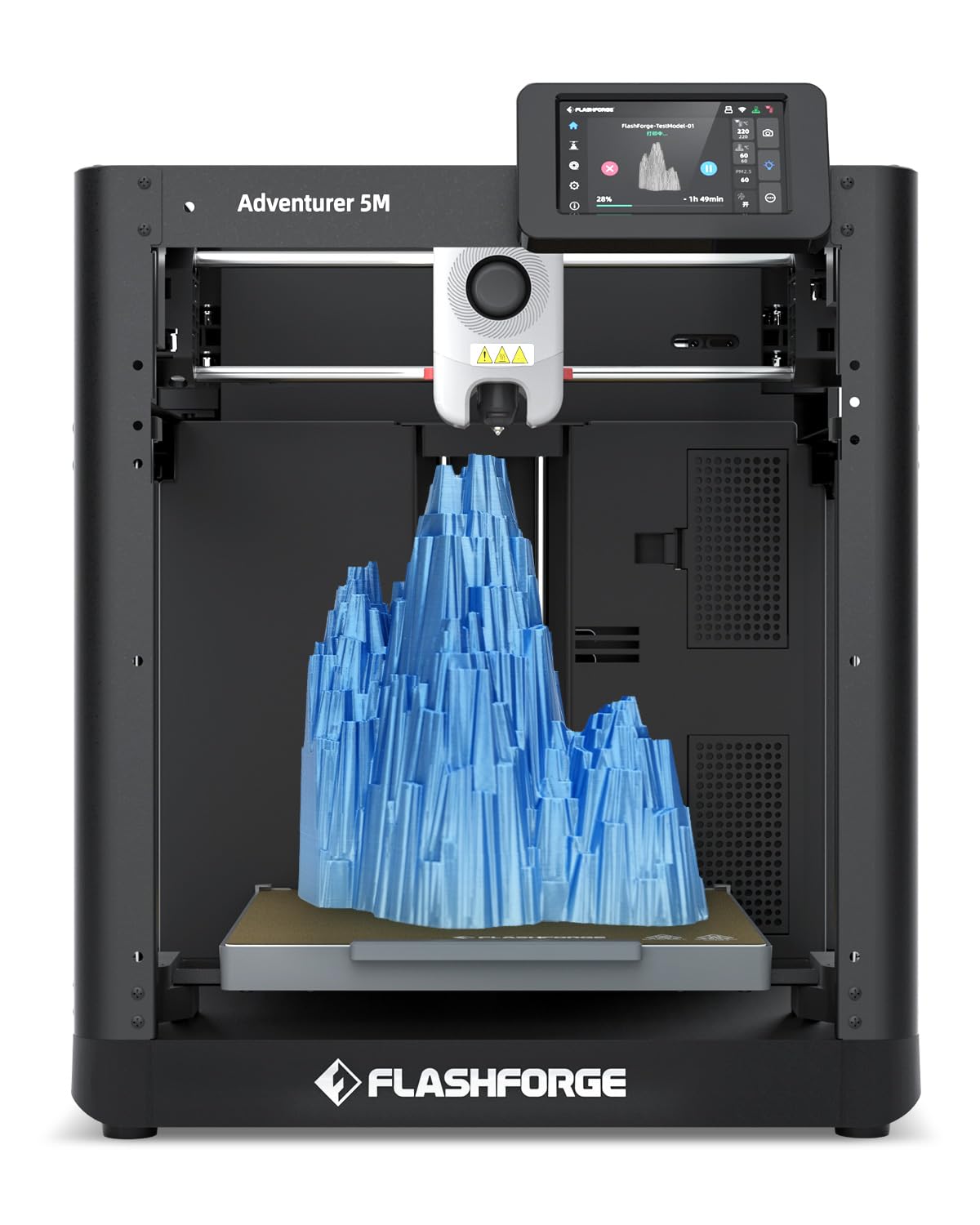
A high-temp direct drive extruder that handles flexible filament and swaps nozzles in three seconds.
Speed is the headline, but the extruder is why it belongs on this list. The AD5M uses a high-temp direct drive extruder rated to 280°C, and it takes multiple nozzle sizes from 0.25 to 0.8mm. For soft filament, a larger nozzle means less back-pressure inside the hotend, so a 0.6mm nozzle becomes a legitimate flexible-filament tool rather than a detail compromise. The 3-second quick-swap nozzle design means you can change sizes without a rebuild.
The CoreXY structure and 20,000mm/s² acceleration drive print speeds up to 600mm/s, which is more than double the 250 mm/s the Ender 3 V3 SE manages. If you print flexible parts in volume — grips, feet, gaskets — that acceleration is what turns a batch job into an afternoon job. A pressure sensor under the bed handles one-click auto leveling instead of manual knob-turning.
Print continuity features round out the workflow: power loss recovery, filament runout detection, and object skipping for multi-part plates. The Flash Maker app lets you monitor remotely and adjust parameters mid-job. The unit weighs 27.6 pounds and measures about 15.9 × 14.3 × 17.7 inches, so it is a desk machine rather than a floor machine. An optional enclosure is available for temperature-sensitive materials.
Why owners keep it: it prints well straight from the start with a setup that takes about half an hour, and it handles several filament types without clogging — the flexible-filament scenario people most often get burned on.
Where it stumbles: the bundled FlashPrint slicer draws complaints for hiding STL files until they are sliced, and most experienced owners switch to Orca-Flashprint instead. Nozzle changes and reloads can also require recalibration, so budget a little patience after maintenance.
Pick it for: fast single-material work where you want flexible filament to feed without fuss and nozzles to swap in seconds.
Skip the stock slicer: set up Orca-Flashprint from day one and most of the software annoyance disappears.
5. FLASHFORGE AD5X Multi-Material 3D Printer, 4-Color Printing

Four colors, one compact frame, and an Intelligent Filament System that changes materials without you.
Space is the constraint most people forget to plan for. The AD5X uses a lightweight, modular design with its Intelligent Filament System holding four spools side by side, and the whole thing lands at 22 pounds and roughly 14.8 × 16.26 × 14.29 inches. That is a genuinely small package for a four-color machine, and it means flexible-filament jobs with color changes do not require a dedicated table.
The material list is where flexible filament gets covered properly. The Intelligent Filament System handles PLA, TPU, PETG, SILK, PLA-CF, and PETG-CF, and it prints multiple colors and materials simultaneously without manual swaps. Speed runs up to 600mm/s with acceleration up to 20000mm/s², matching the AD5M above on the numbers. Full auto leveling measures multiple points on the bed to keep the nozzle distance even across the platform, which is what saves a soft first layer from peeling.
The CoreXY structure is all-metal for rigidity, and vibration suppression algorithms keep layers aligned when the machine is moving fast. Soft filament shows vibration quickly because the material flexes while it cools, so that compensation is doing real work here rather than just appearing on a spec sheet.
What it gets right: print quality and ease of use both draw strong positive feedback, and the four-color capability is exactly why people buy it — complex multicolor pieces come off it successfully once dialed in.
What to plan around: reliability feedback is genuinely mixed, with connectivity issues and clogging reported often enough to be worth noting. Expect a proper calibration session before complex jobs, and check whether the model you want includes an enclosure, because this one does not.
The case for it: a desk-friendly four-color printer that covers TPU alongside standard and carbon-fiber-filled filaments.
The trade-off: reliability is the mixed note here, so buy it for the compact four-color footprint and be prepared to dial it in carefully.
6. Creality K2 Pro Combo (A) 3D Printer, Multicolor with CFS
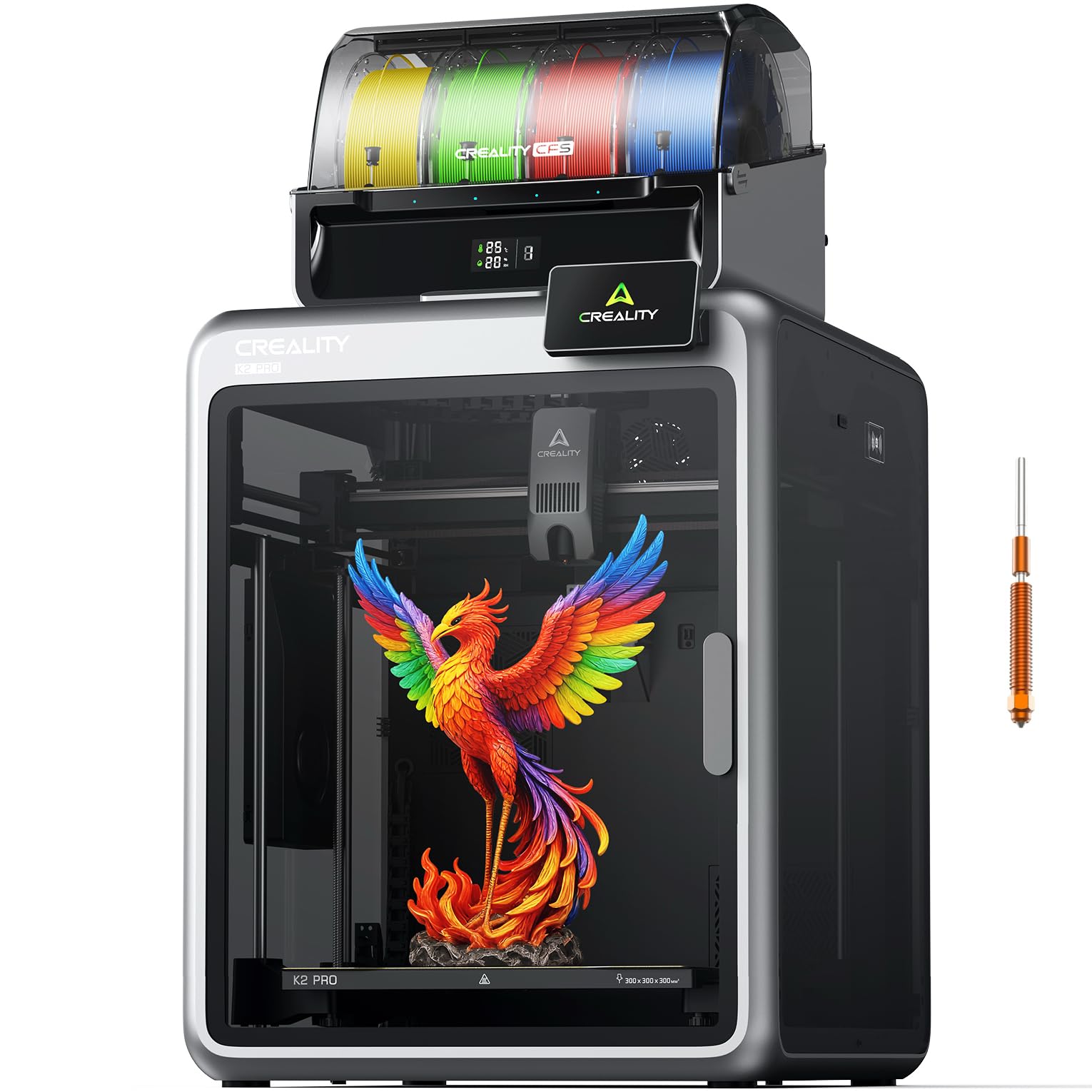
A 300mm cube build with a hardened steel direct drive extruder that handles abrasive and soft filament alike.
Big parts in one pass is the reason to pay attention here. The 300 × 300 × 300 mm build volume takes helmet-size models without splitting them into glued sections, and the aerospace-grade aluminum alloy exoskeleton with a precision steel X-axis rail keeps that large frame steady. Dual Z-axis with four linear rods holds alignment across tall prints.
For filament flexibility, the quick-swap direct drive extruder (a motor mounted right at the nozzle that pushes filament directly) uses hardened steel gears and a high-flow hotend rated at 40 mm³/s (cubic millimeters per second, a measure of how much filament it can melt and push through). The hardened nozzle runs at 300°C, which opens up engineering filaments that chew through brass. TPU (a rubbery, flexible filament) support comes along with the rest of the material range. The Creality Filament System (CFS) unit that ships with this combo handles auto filament identification, relay printing, and moisture-proof storage with real-time temperature and humidity display — the last part matters for soft filament, since TPU absorbs moisture and prints badly when it does.
Speed reaches 600 mm/s with 20,000mm/s² acceleration, and step-servo motors with Field-Oriented Control keep extrusion consistent. Dual AI cameras monitor the print: one watches the chamber for failures and plate readiness, the other tunes flow rate at the nozzle. Chamber heating to 60°C stabilizes warp-prone materials. The machine weighs 84.9 pounds, so this is a permanent installation rather than a machine you shift around.
The strong points: it is beginner-friendly to set up and prints flawlessly when it is dialed in — printer quality is where it earns the most praise, followed by how simple the setup is.
The honest caveat: reliability and value draw genuinely mixed feedback, with some owners reporting it stops working after a few uses. Weigh that against the 300mm build and CFS drying system if large parts are the priority.
Built for: makers who need a 300mm cube, heated chamber, and filament drying in one machine.
Consider twice if: you want a smaller, simpler printer — the 84.9 pound frame and 16-color expansion system are aimed at serious output.
7. Anycubic Kobra S1 Max Combo 3D Printer, 350x350x350 mm
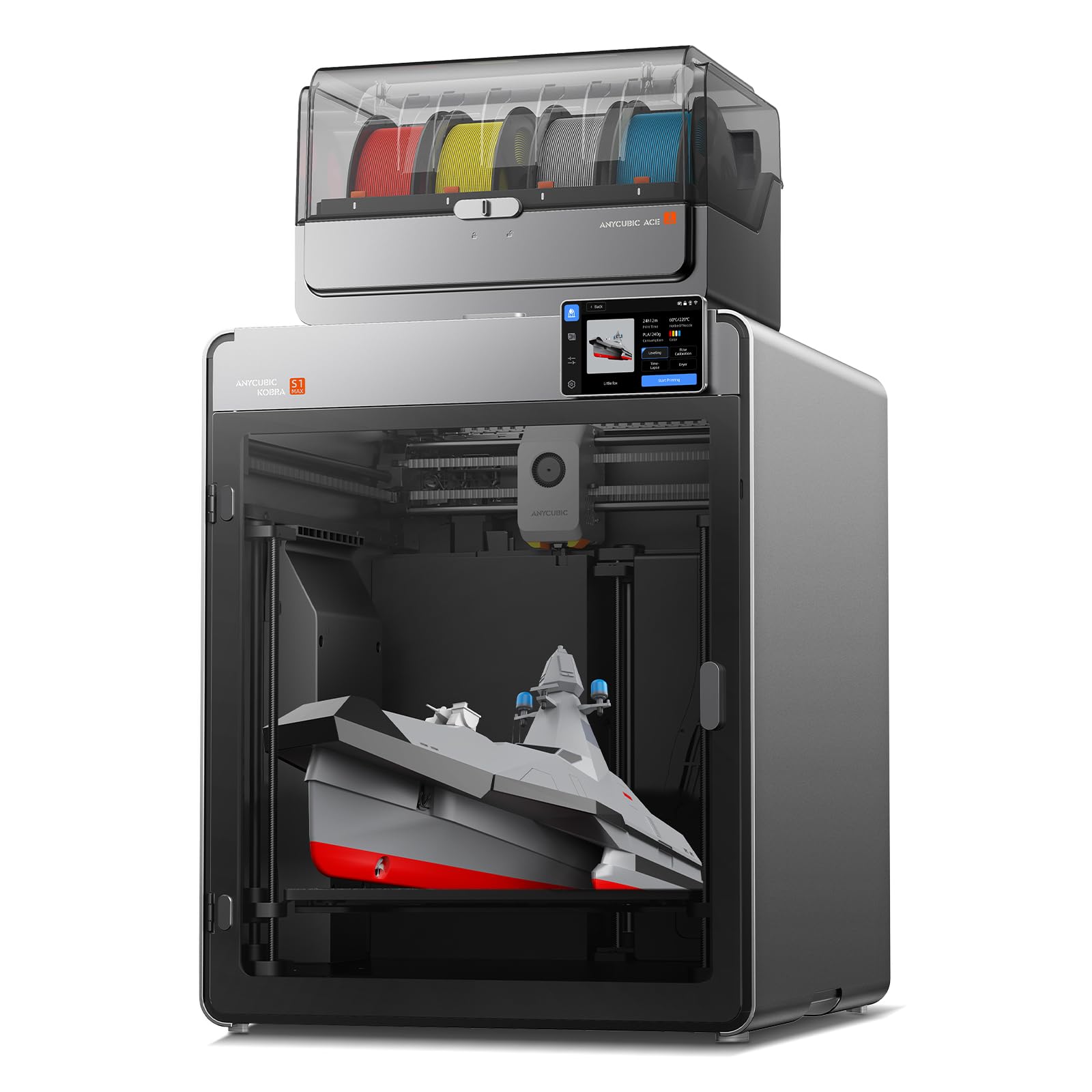
A 350mm cube with a 65°C heated chamber — floor-standing scale for one-piece prototypes.
Nothing else here matches the working envelope. The 350 × 350 × 350mm build volume fits full-scale industrial prototypes and large enclosures in a single piece with no splitting or gluing, and the fully enclosed all-metal CoreXY frame holds steady even at top speed. Print speed reaches 600mm/s with 20,000mm/s² acceleration, and the manufacturer claims a standard Benchy finishes in 15 minutes.
For flexible filament, the hotend runs up to 350°C and the chamber heats to 65°C, with TPU listed alongside ABS, ASA, PVA, PLA, and PETG. The ACE 2 Pro ships from the start for four colors and expands up to 16 with additional units. LeviQ 3.0 levels the bed across 49 points with real-time flow dynamics calibration, which is the sort of coverage a 350mm platform needs to get a consistent first layer.
Weight lands at 77.8 pounds, and the footprint is about 21 × 23 × 19 inches. Set against the 44-pound IdeaFormer IR3 V2 further down, that is a substantially heavier and larger installation — this wants a dedicated bench with room around it.
What owners like: the print quality, large responsive touchscreen, and enclosed chamber that holds temperature for ABS all get positive mention, and setup is described as quick and easy with auto-leveling working well.
The honest caveat: reliability is the most-discussed topic in the reviews and it is mixed. Long prints are where problems surface — repeated filament clogs and failed layer bonding on a 29-hour PETG job have been reported, so treat this as a machine for large parts that need monitoring rather than set-and-leave. Slicing is also locked to Anycubic’s own software.
Right for you if: you print large enclosures and prototypes and want a heated chamber plus four-color capability in one footprint.
Look at others if: you mostly print small parts or want open slicer flexibility — the forced software and mixed reliability record are the points to weigh.
8. Official IdeaFormer-3D IR3 V2 Conveyor Belt 3D Printer
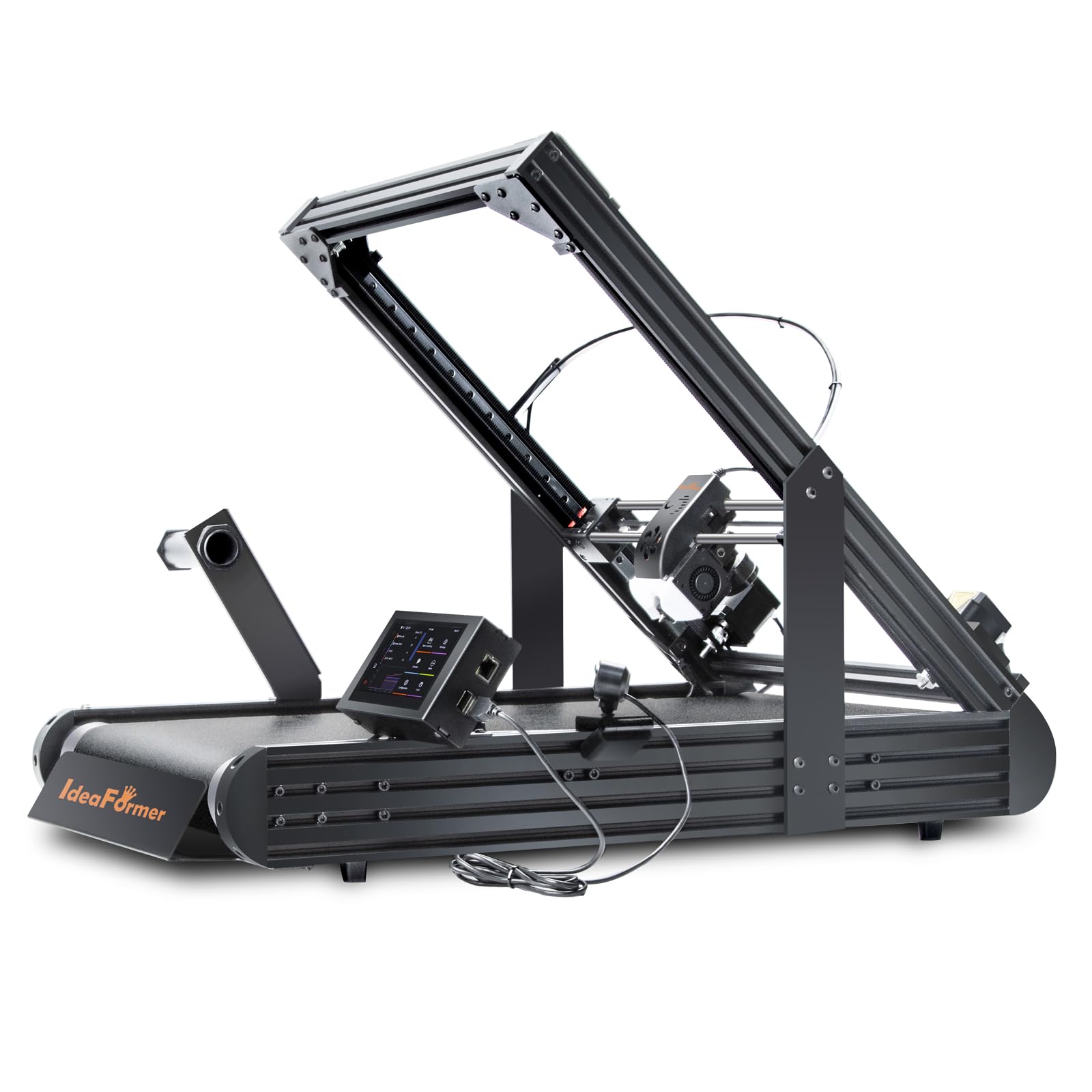
A belt that never ends — 250 × 250 × ∞mm of continuous printing for parts with no seams.
The infinity symbol in that build volume is the whole point. A rolling conveyor belt replaces the fixed Z-axis, so the head keeps printing upward while the belt carries the finished part away. Long models print continuously without seams or glued joints, which is exactly the problem cosplay armor and architectural models run into on a standard bed. The upgraded metal conveyor belt carries a PEI coating for layer adhesion, and the PEI coating supports a wide range of filaments including PLA, PETG, ABS, TPU, ASA, and PP.
Klipper firmware drives the machine through a standard Fluidd web interface, and an integrated roller gearbox pushes speeds up to 400mm/s. Bed leveling uses a Y-offset strain sensor instead of calibration cards or manual knobscrews. Because the print head sits at 45°, overhangs and hollow shapes often print without supports — a genuine structural advantage soft filament benefits from, since flexible supports are miserable to remove.
Setup and print quality are the aspects owners rate most highly, and one commercial user summed it up: “Okay for making one thing, perfect for making thousands of things.” Another ran it a week straight on a single roll with zero human intervention — exactly what a small business buying this machine pays for.
Why it earns its place
- 250 × 250 × ∞mm continuous Z-axis printing with no seams
- PEI-coated metal conveyor belt handles PLA, PETG, ABS, TPU, ASA, and PP
- 45° print angle often removes the need for supports on hollow shapes
- Klipper firmware with a standard Fluidd web interface
The learning curve
- Reliability feedback is mixed — belt damage and feed sensor errors show up in reviews
- Bed adhesion fades over sessions, so adhesion management becomes an ongoing task
- Instructions are rough, and running Windows tools can trigger malware warnings
- It is not a click-and-print machine — plan on designing around the 45° angle
Made for: small businesses and print farms that need the same long part made over and over without labor.
Not your machine if: it would be your first printer — the belt format, 45° angle, and hands-on tuning make it a second or third machine.
9. Original Prusa XL 2-Toolhead 3D Printer

Two toolheads that switch materials automatically — the route to soluble supports under soft filament.
Printing flexible filament with breakaway supports is a losing battle; printing it over water-soluble support is not. The Prusa XL’s dual toolhead system switches between materials mid-print, so a soluble support structure can hold up a soft overhang and then dissolve away. The build volume of 14.17 × 14.17 × 14.17 in gives you room for large multi-material jobs in one pass, and a segmented heated bed with intelligent heating zones cuts warping across that large platform by heating only what is needed.
The CoreXY motion system keeps accuracy steady during complex multi-material operations, and intelligent tool switching minimizes purge waste between materials — a real cost factor when one of those materials is expensive soluble filament. Everything runs through the Prusa ecosystem: PrusaSlicer for slicing and Printables.com for models, with no forced cloud account and no login-to-print requirement.
Performance is the aspect this machine is most praised for, owners call it the best consumer multi-material printer available and single out the build quality. The package arrives with one Satin print sheet and a 1kg spool of Prusament PLA, plus lifetime technical assistance.
Where it shines: multi-material performance and an open, maker-focused ecosystem that owners describe as solid and free of forced updates or accounts.
What you must accept: reliability feedback is mixed, and the assembly is not fully pre-built — the extruder arrives unassembled and setup can run half a day. Documentation leans technical, and delivery complaints about damaged parts have been reported.
Choose it if: your work depends on multi-material printing with soluble supports and you want the open Prusa ecosystem behind it.
Know first: the 35.43 × 31.49 × 31.49 inch frame and 63.4 pound weight make this a studio installation, and the half-day assembly is part of the deal.
Know the Specs
Direct Drive Extruder
This is the motor and gear assembly that grabs your filament and pushes it toward the hotend, mounted right above the nozzle. Because the soft filament only travels a short distance, it cannot buckle sideways the way it does in a long feed tube. When you see “dual-gear direct drive” or a “Sprite Direct Drive Extruder,” it means the machine is built to feed flexible filament without the strand folding on itself. If a flexible-filament printer lacks this, TPU will tend to jam.
Gear Ratio
The gear ratio tells you how many motor turns it takes to push one unit of filament through. The ELEGOO Neptune 3 Pro uses a 3:1 gear ratio, meaning three motor turns deliver what the gears push out. That reduction slows the feed just enough to stop a soft, rubbery strand from overrunning the nozzle and blobbing. Higher reductions generally mean gentler, more controlled feeding, which is what soft filament needs most.
Build Volume
The three numbers describe the printable box — width, depth, and height in millimeters. The Anycubic Kobra S1 Max Combo offers 350 × 350 × 350mm, while the Flashforge AD5M works within 220 × 220 × 220mm. A larger volume means fewer separate pieces glued together, which matters for cosplay armor and large enclosures. Bigger also means heavier and slower to heat, so match the volume to the parts you actually print.
Heated Chamber
The chamber is the enclosed space around the print, and heating it keeps the air warm so warp-prone materials cool slowly and evenly. The Kobra S1 Max Combo runs its chamber at 65°C, and the Creality K2 Pro Combo heats to 60°C. For flexible filament, a chamber also helps because TPU prints best when temperatures stay consistent. An open-frame printer cannot hold chamber heat, so enclosed machines handle a wider material range.
Common Questions
Why do flexible filaments like TPU jam on some 3D printers?
Can the Snapmaker U1 print TPU and rigid plastic in the same job?
How much build volume do I need for cosplay armor in flexible filament?
Does a heated chamber matter when printing flexible filament?
Is a belt printer like the IdeaFormer IR3 V2 harder to learn than a normal 3D printer?
What does multi-color printing add to a flexible-filament setup?
How do I keep TPU from absorbing moisture between prints?
Do flexible-filament printers need an enclosure to print soft materials?
Is the Original Prusa XL worth it over a cheaper multi-material printer?
Which flexible-filament printer is best for a small business running repeat jobs?
The Bottom Line
For most people, the 3d printers for flexible filament winner is the Snapmaker U1 because its four independent toolheads handle TPU alongside rigid materials without ever making you hand-swap a spool — and it did that across a 270 × 270 × 270 mm build at up to 500 mm/s. If a geared, stainless-steel extruder and a dependable daily routine matter more than color changes, grab the ELEGOO Neptune 3 Pro with its 3:1 dual-gear direct drive and 36-point leveling. And for the person who needs the same long part made over and over without labor, the IdeaFormer IR3 V2 is the one to reach for, thanks to a 250 × 250 × ∞mm conveyor build that prints seams-free parts continuously.
How we choose
We do not accept paid placement. Every pick is matched to a real buyer and a real use-case; we do not hands-on test units.
Sources
Specifications: manufacturer listings and product documentation. Review insights: verified customer reviews, as of October 2026. Pricing: not shown on this page (it changes often); check the current price via the retailer link.
As an Amazon Associate, Home Digitized earns from qualifying purchases. This does not affect which products we feature.