
Specs are compiled from manufacturer listings and verified buyer reviews and can change over time — please confirm the key details on the product page before buying.
You want the sharpest, fastest, most expensive monitor money can buy — and you want to know which one actually earns that money. This guide covers 13 flagship panels at the top of the market, from 240Hz OLED gaming screens to 5K and 8K work displays. It explains in plain terms which one fits your desk, your graphics card, and your eyes.
This guide is built by comparing the manufacturers’ published specifications and the patterns across verified customer reviews, so you get each pick’s real strengths and trade-offs instead of marketing spin.
Flagship monitors are not one-size-fits-all. A 240Hz OLED that makes games feel liquid can look soft on spreadsheet text, and a 5K panel built for print work can feel sluggish in a shooter. Below is the practical breakdown of world’s most expensive monitor options and exactly who each one is built for.
Top Picks


How To Choose The Best World’s Most Expensive Monitor
At this level of spend, every panel is sharp. What separates a monitor you love from one you regret is whether its strengths match the way you actually use a screen — gaming hours, spreadsheets, video edits, or all three in one day. Start with your graphics card, then work outward to panel type, resolution, and desk space.
Match the resolution to your graphics card, not to the marketing
A 4K display means 3840 x 2160 pixels — roughly eight million dots the card has to fill every frame. Driving that at 240Hz means the GPU renders frames extremely fast, and only a high-end card keeps up. If your card is mid-tier, you will get more enjoyment from a panel that lets you drop resolution cleanly or switch modes than from one that demands full 4K all the time.
OLED versus Mini-LED: which black level matters to you
OLED pixels switch off individually, so black is genuinely black with no glow behind it. Mini-LED uses a backlight split into zones — bright objects on a dark screen can pick up a faint halo around them. OLED wins on contrast; Mini-LED typically wins on sustained full-screen brightness, which matters if you work beside a window all afternoon.
Curve, aspect ratio, and how much desk you really have
A 32:9 screen is two widescreen monitors fused into one wide panel. That is superb for racing and flight sims and for running several windows side by side. The catch is physical: these panels are wide and heavy, and you need the desk depth to sit far enough back. A 21:9 display is a gentler step into ultrawide and still gives you extra width for timelines and spreadsheets.
Burn-in tools are a real buying decision
Static logos, taskbars, and minimap overlays are the enemy of any OLED. Look for pixel cleaning routines, taskbar and logo detection, screen dimming when you step away, and heat management — a custom heatsink or a cooling pipe. A warranty that names burn-in coverage is the clearest sign the maker stands behind the panel.
Side-by-Side Comparison
| Model | Best For | Resolution | Refresh Rate | Panel Type | Amazon |
|---|---|---|---|---|---|
| ASUS ROG PG32UCDM★ Best Overall | All-round flagship gaming | 3840 x 2160 | 240Hz | QD-OLED | Amazon |
| Samsung Odyssey OLED G9 (G91SD) | rich sim racing | 5120 x 1440 | 144Hz | QD-OLED | Amazon |
| Samsung Odyssey Neo G9 (G95NC) | Dual 4K productivity | 7680 x 2160 | 240Hz | VA Mini-LED | Amazon |
| LG 45GX950A-B UltraGear | Wide 5K2K workspace | 5120 x 2160 | 165Hz / 330Hz | OLED | Amazon |
| LG Ultrafine 27MD5KL-B | Mac-native 5K workflow | 5120 x 2880 | — | IPS | Amazon |
Detailed Reviews
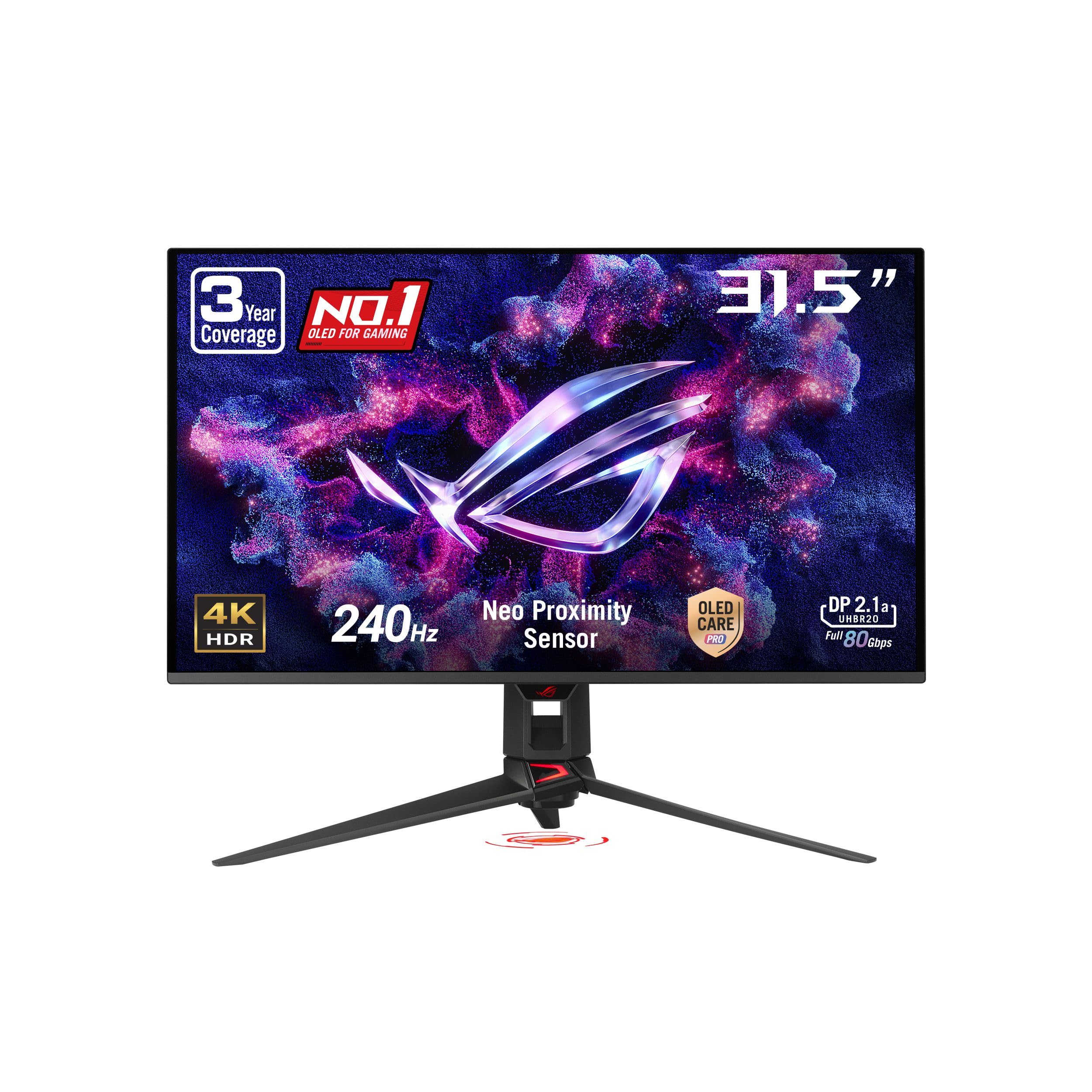
1. ASUS ROG PG32UCDM Monitor
Our pick — 4.5+★ from 600+ verified ratings; the strongest balance of quality and price.
A 32-inch 4K QD-OLED at 240Hz that became the reference point for high-end gaming desks.
Motion stays crisp instead of smearing, so a fast turn in a shooter does not turn into a blur. That comes from 3840 x 2160 pixels of QD-OLED (quantum-dot OLED, where a quantum-dot layer boosts colour brightness on top of self-lit pixels), refreshing 240 times a second with a 0.03ms grey-to-grey response — the time it takes a pixel to change shade.
Contrast is where it pulls ahead of its Samsung rival. This panel is rated 1500000:1 against the Samsung Odyssey G8’s 1000000:1 — both huge, but the ASUS holds the deeper number. Colour work is covered too, with 99% DCI-P3 coverage (the colour range cinema uses) and Delta E < 2, meaning colour error is low enough that editors stop second-guessing. Brightness is listed at 1000 candela per square meter with VESA DisplayHDR 400 True Black certification, so HDR highlights punch without lifting the blacks.
What wins people over, though, is simply how the thing is built and tuned. It earns a 4.5+ star rating from a big body of buyers, and the recurring theme is that the glossy coating makes colours pop while reflections stay mild unless a lamp sits directly behind you. Owners note that at 140 PPI — pixels per inch — even a 1440p game looks close to 4K, which saves graphics-card headroom. Burn-in anxiety is handled with a custom heatsink, airflow design, graphene film and OLED Care tools inside DisplayWidget Center. The honest trade-off is brightness in a sunlit room and the price of entry; a few buyers call the money side mixed, and the anti-glare crowd should think twice before choosing glossy.
Where this earns its keep
- 240Hz refresh with 0.03ms response keeps fast games smear-free
- 1500000:1 rated contrast with true black, no backlight glow
- 99% DCI-P3 and Delta E < 2 give editing-grade colour accuracy
- 90W USB-C power delivery means one cable for a laptop
What to weigh first
- Glossy surface shows reflections when a light source faces the screen
- 4K at 240Hz asks a lot of your graphics card
- Static content still needs OLED care habits over years of use
Made for this buyer: you run a strong gaming PC and want one screen that handles competitive play and colour-heavy work without compromise.
Think twice if: your desk faces a window — the glossy finish and brightness ceiling will fight the room.
2. Samsung Odyssey G81SF Monitor
Built for the room with a window behind you, not the blackout cave.
The headline here is a coating decision, not a resolution one. Samsung’s Glare Free technology makes the screen 54% less glossy than conventional anti-reflection film, according to the maker — so a lamp or a bright window in your eyeline produces a dull haze rather than a mirror. The panel underneath is still a QD-OLED running 4K at 240Hz with 0.03ms GtG response, and the same 3840 x 2160 resolution as the ASUS above.
Dark scenes read as truly black, because contrast is rated 1000000:1 versus the ASUS’s 1500000:1 — the ASUS holds the higher figure. Heat is where Samsung went its own way: a Pulsating Heat Pipe releases coolant that the maker says diffuses heat five times faster than a graphite sheet, and a Thermal Modulation System adjusakers, a 4-pole headphone jack with DTS Headphone:X, and 90W USB-C power delivery. A Switch app splits the screen into up to 6 sections, and there is a built-in webOS streaming platform so you can watch without waking a PC.
Buyers consistently praise the picture — perfect blacks in a bright room, accurate colours, a solid adjustable stand — and the value proposition lands well against pricier rivals. Two caveats surface. The matte coating looks slightly grainy on large static bright pages, and W-OLED runs dimmer than QD-OLED in big bright scenes, so full-screen white content dims itself to manage heat. Disable Deep Sleep Mode if you are on a Mac, or waking the machine can throw an error.
The mode-switch math: 480Hz at 1080p is easier for a graphics card than 240Hz at 4K, so the same rig can play competitive titles fast and cinematic titles sharp.
Honest limit: the anti-glare matte finish trades a little crispness for fewer reflections — worth it in a bright office, less so in a dark room.
This one suits: a mixed library — competitive shooters one night, a big open-world game the next.
The catch to accept: W-OLED brightness dips in large white areas, so a full-screen document is not the brightest thing on your desk.
3. ASUS ROG PG32UCDMR Monitor
The same 32-inch 4K QD-OLED at 240Hz, now with DisplayPort 2.1 at full bandwidth.
Read the model number closely: this is the UCDMR, and the extra letter buys you DisplayPort 2.1 at full bandwidth alongside HDMI 2.1 and USB-C with 90W power delivery — enough to charge a laptop from the same cable. The panel itself matches the family recipe — 3840 x 2160 QD-OLED at 240Hz with 0.03ms GtG, 99% DCI-P3, true 10-bit colour and Delta E < 2 — so HDR highlights reach 1000 candela pewing around, which is the annoyance that pushes some people away from OLED gaming entirely.
The extras lean gamer. AI Crosshair, AI Sniper and AI Visual are on-panel assists, a custom heatsink handles passive cooling to guard against burn-in, and the 3-year warranty includes burn-in coverage. Colour covers 99% DCI-P3 at true 10-bit, and USB-C with 90W power delivery lets one cable drive and charge a laptop. DisplayWidget Center puts OLED Care and image settings under your mouse instead of buried in a joystick menu.
Text clarity is a genuine strength here — at native 4K with no scaling, buyers find it crisp enough to avoid the eye strain that other 4K panels cause at 150% scaling. The dual-mode switch, though, does not always cooperate: a few owners found their card kept sending a 4K signal, so 480Hz never engaged. That is the honest limit, and paired with occasional aggressive auto-dimming on static images it explains why this sits at 4.0+ stars. What everyone agrees on is the picture — vibrant, sharp, and smooth in motion.
For the reflex crowd: the 480Hz mode exists specifically for competitive shooters where a millisecond of blur costs you a duel.
Set expectations on the switch: check that your graphics card and cable actually hand over the 1080p signal before you rely on 480Hz.
Pick this if: competitive play is the main event and you want the flicker-reduction work ROG built for it.
Bear in mind: aggressive auto-dimming can catch you off guard on static screens during long work sessions.
4. ASUS ROG PG27UCDM Monitor
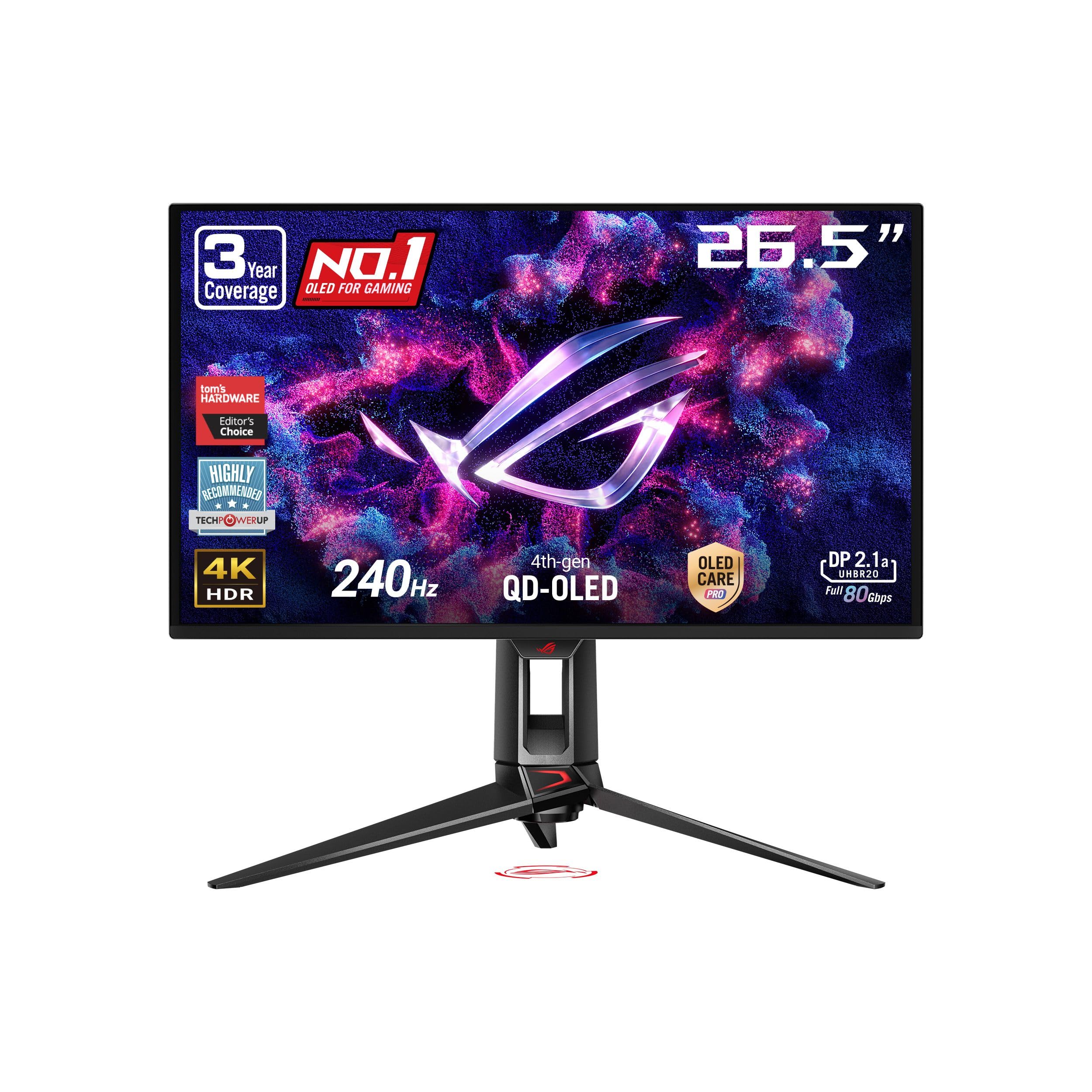
A 49-inch 32:9 QD-OLED at 5120 x 1440 and 144Hz that wraps the screen around a sim rig.
This is the 32:9 super-ultrawide, running 5120 x 1440 across a 49-inch curve. At 110 PPI, text is not as crisp as on a 4K panel, but pixel count is not the point here — field of view is. In a racing or flight sim, the wide wrap puts your mirrors and side windows in peripheral vision, so you spot a car alongside without turning your head. The QD-OLED layer delivers true black and vivid colour across that wide canvas, with 0.03ms response and a 144Hz refresh.
Samsung’s burn-in defenses run a full shift here. Thermal Modulation System predicts surface temperature and adjusts brightness to manage heat, logo and taskbar detection dims static elements, and the screen saver dims after 10 minutes of inactivity and restores on any input. Picture-in-Picture lets you park a chat window or stream on part of the display while the game keeps the rest. G-Sync compatibility and AMD FreeSync Premium Pro cover frame-sync on both GPU camps.
The size splits opinion honestly: it is enormous side to side and not especially tall, so it reads as two wide monitors fused together rather than one giant wall. It needs desk depth, a strong graphics card, and acceptance that sustained brightness sits below a mini-LED in a very bright room. Only one DisplayPort input is available, and a few buyers hit colour gradient banding along the centre seam. None of that stops the immersion — this is a screen that makes a sim rig feel like equipment rather than furniture.
Field-of-view payoff: the 1800R curve builds peripheral vision into the game, which is the single biggest immersion gain in sim racing.
Space and inputs to plan for: measure your desk first, and route cables knowing there is only one DisplayPort socket.
Worth it for: sim racers and flight-sim pilots who want the screen to wrap around them.
Not the fit for: readers or coders — those wide lines and 110 PPI make long text columns a chore.
5. Samsung Odyssey Neo G95NC Monitor

A 57-inch 7680 x 2160 VA panel with 2,392 mini-LED dimming zones and no burn-in risk.
Samsung bills this as the world’s first dual UHD monitor, and the resolution backs that up: 7680 x 2160 pixels, effectively two 4K screens sitting side by side across a 57-inch 1000R curve. It is not OLED — it is VA with Quantum Matrix mini-LED backlighting split into 2,392 local dimming zones, reaching 1,000 nit peak brightness and VESA DisplayHDR 1000 with a rated 1,000,000:1 contrast. You get near-OLED blacks with no burn-in worry, which is exactly why long-hour workers pick it over an OLED.
Speed does not suffer for the size: 240Hz refresh, 1ms GtG response, and DisplayPort 2.1 input to carry the resolution at high frame rates. Picture-By-Picture lets you run two sources at their native resolution at once, and Picture-In-Picture resizes a second source onto up to 25% of the screen — a genuinely useful split for a work machine beside a console. The panel is 32:9 with a full set of height, tilt and swivel adjustments, and it is VESA-arm compatible.
The honest caveats are physical. This is a heavy, wide object with a large stand, so it wants a deep, sturdy desk or a serious arm. The included DisplayPort cable is short, so budget for a longer one. And it demands a strong graphics card to drive the full resolution in games — splitting it into two logical displays limits frame loss and is what many owners actually do day to day. Build quality is described as on the flimsier side for the size, yet the thing earns a 4.0+ star rating on the strength of that picture.
The one-screen, two-monitor trick: Picture-By-Picture in native resolution means your work laptop and your console can share the panel with no second display.
Weight and wiring: the chassis is heavy and the included cable is short, so plan a longer DP cable and a desk that can hold it.
Choose this for: a workspace that replaces two monitors with one smooth canvas and never worries about burn-in.
The sticking point: sustained brightness is good, but a bright sunlit room will still ask the panel to work harder than an OLED-free setup.
6. LG 45GX950A-B Ultragear Monitor

A 45-inch 21:9 OLED at 5120 x 2160 and 125 PPI, sized for spreadsheets as much as racing.
A timeline, a spreadsheet and a browser can share the screen without the fringing that made some OLED panels a chore for work. LG calls this the world’s first 5K2K OLED gaming monitor, and the resolution tells the story: 5120 x 2160 across a 45-inch 21:9 curve. At 125 PPI (pixels per inch) with an updated subpixel layout, text gets sharper than earlier OLED ultrawides. It is a display you can actually type on all day.
Brightness runs up to 1300 nits peak with 98.5% DCI-P3 coverage, a rated 1.5M:1 contrast and DisplayHDR True Black 400, so bright highlights sit against deep blacks. Dual Mode covers both moods — 5K2K at 165Hz for detailed, story-heavy games, or Wide Full HD at 330Hz for reflex shooters via hotkey. The 800R curve is steep enough that the edges sit in your periphery, which is the point on a 45-inch panel. DisplayPort 2.1, two HDMI 2.1 ports and USB-C at 90W cover the inputs, and LG got the whole thing certified for anti-glare, flicker-free and low blue light.
Owners describe the workspace gain as the real win: 21:9 is more practical than 32:9 for productivity, and the sharp 5K panel reduces the eye strain that comes from scaling a 4K screen. The trade-offs are worth knowing. The dual-mode 330Hz scaling is not perfect, and some older video apps do not fill the 21:9 frame. There is a small always-on fan that can be heard in a silent room, and a few units show visible vertical lines that clear after adjustment. With a strong card underneath, the picture is the reason this one is hard to give up.
Two monitors’ worth of room: 5120 x 2160 gives you a wide working area that still suits a 21:9 desk layout better than an extreme 32:9.
The quiet hum: a small fan runs continuously — fine in a normal room, noticeable in a silent studio.
Match this to: a creative or developer workflow that wants wide screen real estate and a gaming panel in one.
Check first: whether your app set fills a 21:9 frame properly, because some older video tools leave bars.
7. ASUS ProArt PA32UCDM Monitor

The 5K panel Apple never put in a box of its own, built to pair with a Mac.
Resolution is the whole case for this one: 5120 x 2880 on a 27-inch IPS panel, the same pixel count as a 27-inch 5K iMac, with 99% DCI-P3 coverage and 500 nits brightness. The payoff is text. At native 5K scaled to a comfortable working size, letters render with no visible pixel edges, which is the difference between reading code or long documents comfortably and squinting at a blurry 4K screen. It is a work panel, not a gaming one, and that is fine — nothing here pretends otherwise.
Connectivity is Mac-first and elegant. A single Thunderbolt 3 cable carries video and data, delivers up to 94W of power to charge a laptop, and feeds three USB Type-C ports for peripherals — one cable to a desk becomes a whole docking station. Brightness and volume respond to the Mac keyboard as if the display were Apple’s own, and the built-in speakers beat most monitor speakers. The stand is heavy and stable, and the contrast is rated 1100:1.
Reliability is the recurring note in the reviews. Some units blank or throw a screensaver mid-work, and the only fix is unplugging and reinserting the Thunderbolt cable — a problem some owners traced to an older macOS release rather than the panel itself. There is no headphone jack and no daisy-chaining, and the thick bezel is a reminder of its era. But the image quality is why buyers keep it: sharp text at 2560 x 1440-scaled size with excellent brightness and colour, described as a clear step up from 4K for CAD and spreadsheets.
One cable, whole desk: Thunderbolt 3 handles video, 94W of laptop charging and three USB-C peripherals, which cleans up a Mac setup fast.
Choose your macOS version carefully: blanking and screen-saver glitches have been tied by owners to older system software rather than a faulty panel.
The right desk for this: a Mac-based writer, coder or designer who reads text all day and wants 5K sharpness without Apple’s price.
Where it falls short of: a gaming or console setup — 14ms response and no adaptive sync put it out of that race.
Know the Specs
Contrast Ratio and True Black
Contrast ratio compares the brightest white a panel can show against its darkest black. On an OLED it is effectively near-infinite because each pixel switches off, so black is black with no glow behind it. On a Mini-LED or LED panel a backlight sits behind the picture, split into zones, so a bright object on a dark screen can pick up a faint halo. When a spec says DisplayHDR True Black 400, it means the panel met a certification for deep blacks, not just for peak brightness — which is why two monitors with similar nits numbers can look dramatically different in a dark room.
Refresh Rate, Response Time, and What GtG Means
Refresh rate is how many times per second the screen redraws — 240Hz means 240 times. Response time in GtG (grey-to-grey) measures how fast a pixel changes from one shade to another; 0.03ms means the pixel barely lags the signal. Together they decide whether motion looks clean or smeared. A high refresh rate without a fast response still produces ghosting trails. That is why gaming panels pair the two, and why a dual-mode switch that drops resolution to raise refresh rate is useful — fewer pixels means your graphics card can hit the higher frame count.
Resolution, PPI, and Text Clarity
Resolution is the pixel count; PPI (pixels per inch) is how densely those pixels are packed on the physical glass. A 32-inch 4K screen lands around 140 PPI, while a 27-inch 4K packs the same pixels tighter and looks sharper on text. Higher PPI is what makes small fonts crisper and reduces the fringing that OLED subpixel layouts can introduce. This is why a work-focused buyer often trades refresh rate for pixel density, and why a 5K 27-inch panel remains the standard for text-heavy Mac work.
Burn-In, OLED Care, and Warranty Coverage
Burn-in is a permanent shadow left when the same bright element — a logo, a taskbar, a game HUD — sits in one place for long stretches. OLED panels fight it with pixel cleaning routines, logo and taskbar detection that dims static areas, proximity sensors that blank the screen when you walk away, and heat management such as custom heatsinks or heat pipes. A warranty that explicitly names burn-in coverage tells you the manufacturer expects the tools to work. If you plan to keep a monitor for years, reading the warranty terms is as important as reading the spec sheet.
Colour Gamut and Delta E Accuracy
Colour gamut describes how much of a colour range a panel can display — DCI-P3 is common for cinema, sRGB for the web, Adobe RGB for print. Delta E measures how far a displayed colour drifts from its target; under 2 is generally considered accurate, and under 1 is the tight end used in reference work. For a gaming-only buyer this matters less. For anyone editing photos or grading video, a Delta E < 1 figure plus hardware calibration is the difference between trusting the screen and second-guessing it.
Inputs, Bandwidth, and Power Delivery
DisplayPort 2.1 carries more data than earlier versions, which matters at 4K and high refresh rates — the signal can travel uncompressed rather than being squeezed. USB-C with power delivery means one cable can drive the display and charge a laptop at the same time, at wattages such as 90W or 98W. Check the port count too: a monitor with one DisplayPort socket leaves no room for a second source without a switcher, while a panel with Thunderbolt and HDMI can host a laptop and a console at once.
Common Questions
Do I need a top-tier graphics card to run a 4K 240Hz monitor?
Is a 32-inch 4K monitor or a 27-inch 4K monitor sharper for reading text?
Will an OLED monitor get burn-in from a game HUD or taskbar?
Is a matte or glossy screen better for a bright room?
Can I connect a MacBook and a games console to the same monitor?
How much desk depth does a 49-inch or 57-inch ultrawide need?
Does DisplayPort 2.1 actually matter over DisplayPort 1.4?
Is a 5K or 8K resolution monitor worth it over 4K?
What does Delta E under 1 mean on a professional monitor?
How long do these flagship monitors last and what warranty should I expect?
The Bottom Line
For most people shopping the world’s most expensive monitor shelf, the ASUS ROG PG32UCDM is the pick that earns the money — a 4K QD-OLED at 240Hz with a rated 1500000:1 contrast and 99% DCI-P3, strong enough that a big body of buyers keeps it at the top of the field. If your desk sits near a window, the Samsung Odyssey OLED G8 G81SF answers the glare question with a coating rated 54% less glossy than conventional film. And for a Mac workflow that reads text all day, the LG Ultrafine 27MD5KL-B delivers 5120 x 2880 over one Thunderbolt 3 cable with 94W of charging — the practical answer for anyone who wants 5K sharpness without moving to a bigger desk.
How we choose
We do not accept paid placement. Every pick is matched to a real buyer and a real use-case; we do not hands-on test units.
Sources
Specifications: manufacturer listings and product documentation. Review insights: verified customer reviews, as of October 2026. Pricing: not shown on this page (it changes often); check the current price via the retailer link.
As an Amazon Associate, Home Digitized earns from qualifying purchases. This does not affect which products we feature.